Google Business Profile Optimization: 15 Tips That Move Rankings
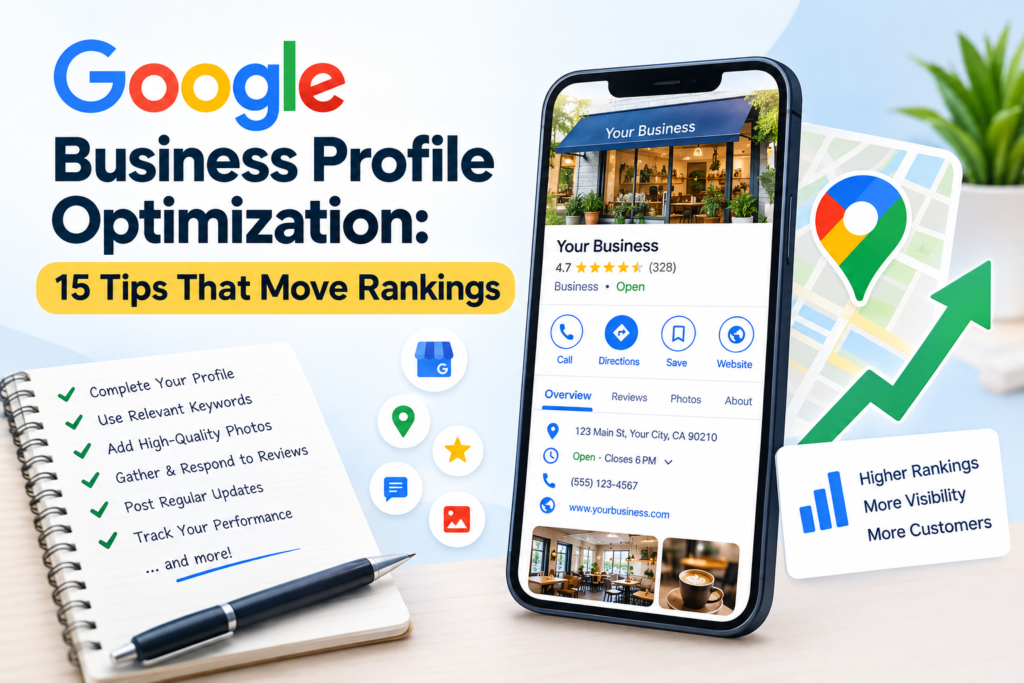
Google Business Profile optimization is the process of making your listing accurate, complete, and trustworthy so Google can match it to nearby searches. It helps you show up in Google Maps and the local pack. No tip can guarantee first place, because distance and competition also matter.
This guide is for US small-business owners, marketers, and agencies. USABusinessDaily built it as a working checklist. Each tip says what to do, why it matters, and how to check the result. If you are new to the topic, start with our local SEO guide.
About 73% of consumers started their latest local search on a mobile phone, and 23% used AI tools during it. Also, 75% used more than one channel. Your profile is often the first thing these people see. It needs to be right. brightlocalbrightlocal
What Is Google Business Profile Optimization?
Google Business Profile (GBP) is the free listing that controls how your business appears in Google Search and Maps. Google Business Profile optimization means improving that listing’s accuracy, detail, and reputation signals.
It is not the same as full local SEO. Local SEO also covers your website, citations, and links. Your profile is one part of that system. The tips below cover both.
How Google Business Profile Rankings Work
Google says local results rely mainly on three factors: relevance, distance, and prominence. You can read the details in Google’s local ranking guidance.
- Relevance: how well your profile matches what the person searched for.
- Distance: how far you are from the searcher or the location they named.
- Prominence: how well known you are, based on reviews, links, and web mentions.
You cannot change distance. You can improve relevance and prominence. That is why you should read each tip below as a way to improve Google Maps rankings over time, not as a switch that guarantees a result. For a deeper look, see how to improve Google Maps rankings.
15 Google Business Profile Optimization Tips
Do the tips in order. Tips 1 to 4 fix errors and basics. Tips 5 to 13 build strength. Tips 14 and 15 keep the gains.
1. Claim, Verify, and Secure Your Profile
What to do: Claim your listing, finish verification, and remove any duplicate listings.
Why it matters: Unverified or duplicate profiles split your reviews and confuse customers.
How: Search your business name while signed in. Select the claim option and follow the prompts. Google may ask for a video, a phone call, or a code. Then add a second owner or manager, so you never lose access.
Example: A dentist finds two listings at one address. She requests removal of the older one so reviews gather on one profile.
Mistake to avoid: Creating a new profile instead of claiming the old one.
Measure: One verified listing per location.
2. Choose the Most Relevant Primary Category
What to do: Pick the one category that best describes your main service.
Why it matters: Category is one of the clearest relevance signals. Whitespark’s practitioner research on ranking factors regularly places it near the top, though that is expert opinion, not Google’s rule.
How: Search your top three keywords. Open the leading competitors and note their primary categories. Choose the closest honest match. Use local keyword research to confirm which service terms people actually search.
Example: A plumber who mostly clears drains may choose “Plumber,” not the broader “Home services.”
Mistake to avoid: Choosing a trendy category you do not truly fit.
Measure: Changes in search views for your core service after an edit.
3. Add Relevant Secondary Categories
What to do: Add extra categories for real, separate services.
Why it matters: They help you appear for related searches without diluting your main category.
How: Google allows additional categories, but add only those that describe work you do today. Check wording against Google’s current category list.
Example: An auto shop adds “Tire shop” because it sells and fits tires.
Mistake to avoid: Category stuffing. Adding ten loosely related options can weaken clarity.
Measure: Review which queries bring views in your performance report.
4. Complete Every Relevant Business Detail
What to do: Fill in address or service area, phone, website, hours, attributes, and special hours.
Why it matters: 96% of consumers say it is important for a local business to manage its online presence actively. Missing hours or a wrong phone number sends customers away. brightlocal
How: Set holiday hours early. Use a local phone number that matches your website. Add attributes such as wheelchair access or online appointments only if they are true.
Mistake to avoid: Putting keywords in the business name field. Google’s Business Profile Help Center says the name should match your real-world name.
Measure: Fewer “wrong hours” complaints and more calls.
5. Write a Clear, Customer-Focused Description
What to do: Describe what you sell, who you serve, and where.
Why it matters: The description helps customers decide, and it reinforces relevance in plain language.
How: Lead with your core service in the first 250 characters. Mention your city or area once. Stay within Google’s length limit and leave out links, prices, and promotional claims.
Example: “We repair and install residential water heaters across Tampa and nearby suburbs. Same-day service is available on weekdays.”
Mistake to avoid: Copying your website’s About page word for word.
Measure: Compare website clicks before and after the rewrite.
6. Add Accurate Services and Products
What to do: List your real services and products with short descriptions.
Why it matters: These fields add specific detail that categories cannot, and they answer buyer questions before the call.
How: Use the same service names that appear on your website. Add prices only if you can keep them current. Add products with photos if you sell goods.
Mistake to avoid: Listing services you do not offer to catch more searches.
Measure: Track calls and messages tied to the services you added.
7. Build a Genuine Review Process
What to do: Ask every happy customer for an honest review, soon after the job.
Why it matters: Reviews feed prominence. BrightLocal found that 65% of consumers who rejected a business did so for a review-related reason. brightlocal
How: Use your profile’s review link in a text or email. Ask at the moment of success, such as right after a completed repair. Train staff to ask the same way each time. Our guide to managing customer reviews covers a full workflow.
Mistake to avoid: Offering discounts or gifts for reviews, or screening out unhappy customers. Google’s policies prohibit this, and it risks removal of reviews or suspension.
Measure: New reviews per month and your average rating.
8. Respond Professionally to Reviews
What to do: Reply to every review, positive or negative, within a few days.
Why it matters: Replies show that a real owner is paying attention. Future customers read them.
How: Thank the reviewer by name and mention one specific detail. For a negative review, apologize for the issue, state what you will do, and offer an offline contact. Keep it calm and short.
Example: “Thanks, Maria. We’re glad the same-day repair worked out. Call us any time if it acts up again.”
Mistake to avoid: Pasting the same reply under every review.
Measure: Reply rate and response time.
9. Upload Authentic Photos and Videos
What to do: Add real photos of your storefront, team, products, and finished work.
Why it matters: Photos help people trust you before they visit. Google does not state that photo count lifts rankings, so treat this as a conversion tactic.
How: Shoot in good light on a phone. Follow Google’s current photo guidelines on file type and size. Add a few short videos, such as a quick tour. Refresh images each season.
Mistake to avoid: Stock photos or heavily edited images.
Measure: Photo views, direction requests, and website clicks.
10. Publish Useful Profile Updates
What to do: Share news, offers, and events when your profile supports them.
Why it matters: Updates give visitors a reason to act today. Google has not confirmed that posting frequency changes rankings.
How: Post only when you have something real to say, such as a seasonal service or a new location hour. Add a clear call-to-action button and a sharp photo.
Mistake to avoid: Posting filler just to stay active.
Measure: Clicks on post buttons in your performance data.
11. Keep Business Information Consistent
What to do: Match your name, address, and phone number (NAP) across your website and key directories.
Why it matters: Consistent facts help Google and AI tools confirm that you are who you say you are.
How: Audit the top directories for your industry. Fix mismatches in suite numbers, old phone numbers, and spelling. Our guide to local business citations shows which sources to check first.
Mistake to avoid: Leaving an old address on a minor directory.
Measure: Percentage of listings that match your master record.
12. Improve the Linked Website and Location Pages
What to do: Link to a fast, mobile-friendly page that matches what the searcher wanted.
Why it matters: The profile gets the click. The page earns the lead.
How: Create one page per location or major service area. Put your phone number, hours, and a map at the top. Write original copy for each page. Our guide to location landing pages explains the structure. If it fits, add LocalBusiness structured data so search systems can read your details.
Mistake to avoid: Pointing every location to the same homepage.
Measure: Organic landing-page sessions and conversion rate.
13. Strengthen Local Authority and Mentions
What to do: Earn links and mentions from real local sources.
Why it matters: Prominence includes how well you are known across the web.
How: Sponsor a local event, join your chamber of commerce, or give a quote to a local news site. See our local link building guide for tactics that stay within policy.
Mistake to avoid: Buying links or paying for mentions on low-quality sites.
Measure: Number of new local referring domains.
14. Measure Profile Performance and Local Rankings
What to do: Track calls, direction requests, website clicks, and rankings from several map points.
Why it matters: Without a baseline, you cannot tell what worked.
How: Open your profile’s performance report. Record the numbers before you change anything. Use a local rank tracker to check results from different spots, since rankings shift by block. Track mobile as well as desktop. BrightLocal advises tracking both, because positions can differ. brightlocal
Mistake to avoid: Judging results from one search at your own desk.
Measure: Monthly trend in calls, clicks, and qualified leads.
15. Maintain a Recurring Optimization Routine
What to do: Review your profile on a fixed schedule.
Why it matters: Hours change, competitors improve, and Google updates its tools.
How: Check details and reviews weekly. Audit photos, services, and competitors every quarter. Our Google Business Profile audit template can guide the quarterly review.
Mistake to avoid: Treating optimization as a one-time project.
Measure: Completed review dates in your tracker.
How to Measure Google Business Profile Performance
Start with a baseline. Record profile views, calls, directions, website clicks, and leads. Make one change at a time where you can, and note the date. Then compare results over several weeks.
Be honest about limits. Seasonality and competitor changes can distort the data. Treat a before-and-after gain as a signal, not proof.
Common Google Business Profile Optimization Mistakes
- Adding keywords to your business name.
- Buying reviews or offering rewards for them.
- Leaving duplicate listings open.
- Choosing a category you do not fit.
- Promising clients a fixed ranking.
- Ignoring negative reviews.
Google Business Profile Optimization Checklist
Copy this list and mark each item pass or fail.
- One verified profile per location, with no duplicates.
- Accurate primary category.
- Relevant secondary categories only.
- Name, address, phone, hours, and website are correct.
- Description is clear, accurate, and free of links.
- Services and products are real and up to date.
- A repeatable review request process is in place.
- Every review has a reply.
- Recent, original photos are uploaded.
- Updates are posted when there is news.
- NAP matches across major directories.
- The linked page is fast and mobile-friendly.
- Local links or mentions are earned yearly.
- A baseline and monthly report exist.
- A quarterly audit is on the calendar.
Frequently Asked Questions
Is Google Business Profile free? Yes. Creating and managing a profile costs nothing for eligible businesses. Paid tools and agencies may charge fees, but the profile itself is free.
How do I improve my Google Business Profile ranking? Start with an accurate, verified profile. Choose the most relevant category, earn genuine reviews, add real photos, and improve your website. Google names relevance, distance, and prominence as the main factors, so no step guarantees a position.
How long does optimization take to work? It varies. Simple corrections may show in days. Review growth and local authority usually take weeks or months. Competition and your location affect speed, so track trends over time.
Do Google reviews help local SEO? Yes. Google lists review count and rating as part of prominence. Reviews also influence whether searchers choose you. Ask honestly and never offer incentives.
How often should I update my profile? Check hours and reviews weekly. Add photos and updates whenever you have something real to share. Google has not confirmed a posting frequency that improves rankings.
Can I add keywords to my business name? No. Use your real-world name as it appears on your signage and materials. Extra keywords can trigger suspension. Check the current rules in Google’s Help Center.
Can a service-area business hide its address? Yes, if you do not serve customers at your location, you can hide your address and list the areas you serve. Follow Google’s current eligibility rules.
Why is my business not showing on Google Maps? Common causes are missing verification, a suspended profile, a wrong category, a duplicate listing, or distance from the searcher. Check verification first, then your category and details.
How do I measure profile performance? Use the performance report in your profile. Track calls, directions, and website clicks. Pair it with a local rank tracker and your lead records.
Need Help Optimizing Your Google Business Profile?
If you would rather not do this alone, USABusinessDaily can point you to resources and local SEO services that fit your needs. Start with a Google Business Profile audit to find the fixes that matter most.