
7 Free AI Tools Solo Entrepreneurs Can Use Instead of Paying for Zapier in 2026
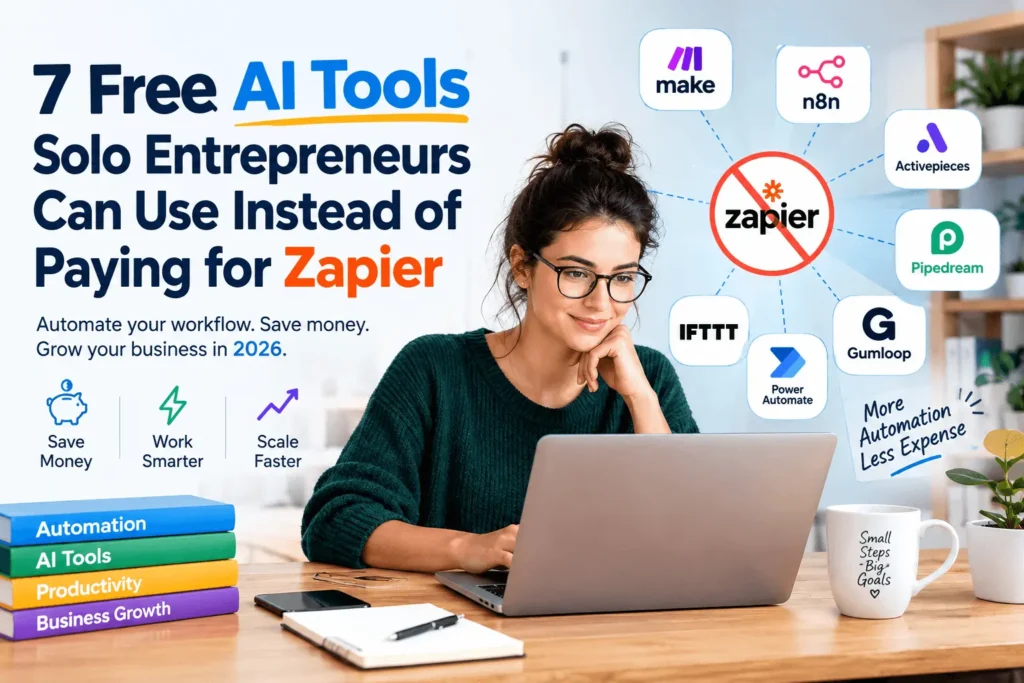
Running a one-person business means every dollar and every hour counts. Zapier gets the job done, but its task-based pricing adds up fast once you are routing leads, updating spreadsheets, and sending follow-up emails every day. The good news is that 2026’s AI automation tools have made it possible to build real workflows without a Zapier subscription. This guide covers seven free Zapier alternatives — free AI automation tools for solo entrepreneurs — that actually understand your data instead of just moving it from one app to another. You will also find free-plan limits, real workflow examples, and hidden costs to check before you switch.
Can You Automate Your Business Without Paying for Zapier?
Yes. Make, Activepieces, IFTTT, Pipedream, Gumloop, and Bardeen all currently offer free plans. n8n’s Community Edition is free to self-host with unlimited workflows. Each free tier has different limits, such as credits, active flows, applets, or execution caps. A few tools, like self-hosted n8n, need some comfort with basic server setup. None of these tools remove costs completely if you plan to use AI models heavily, since API usage can still carry a charge on top of the platform itself.
What Should Solo Entrepreneurs Look for in a Free Zapier Alternative?
Before you pick a tool, weigh these six factors:
- Free monthly allowance — and how fast your workflows will use it up
- Real AI reasoning — does it interpret messy data, or just trigger simple rules?
- Integration coverage — does it connect to the apps you already use (Gmail, Sheets, your CRM)?
- Setup time — how much can you realistically spend this week?
- Self-hosting option — useful if you want to avoid usage limits entirely
- Upgrade path — what happens, and what it costs, once you outgrow the free tier
What Is AI Automation, and How Is It Different From Zapier’s Rules?
Traditional automation follows a simple rule: if X happens, do Y. It is fast and predictable, but it breaks the moment your data does not match the expected format. AI automation works differently. It receives messy information, an AI model reads and interprets it, the model decides what should happen next, and the workflow then carries out that action.
This matters for solo entrepreneurs because real business data is rarely tidy. A lead form might include a vague question instead of a clean request. An email might bury the important detail in the third paragraph. AI-native tools are built to handle that kind of mess, while classic rule-based automation often cannot.
Several of the tools below go a step further into agentic AI, where a single AI agent can make multi-step decisions across an entire workflow instead of running one fixed rule. If that idea is new to you, it is worth a closer look before you pick a tool.
Why Solo Entrepreneurs Are Looking Beyond Zapier in 2026
Zapier’s free plan currently allows 100 tasks per month and limits you to two-step Zaps, with no access to premium apps or webhooks. For a business running even a handful of daily automations, that ceiling arrives fast. Once you need more, Zapier’s Professional plan starts near thirty dollars a month for 750 tasks, and the price climbs quickly from there as your task count grows.
At the same time, AI adoption among small businesses has jumped. A 2026 survey from the U.S. Chamber of Commerce Foundation and Ipsos found that half of small-business workers were already using AI at work, mostly to boost productivity rather than replace their own jobs. Separate research from the Federal Reserve Bank of San Francisco found something similar: close to forty percent of small-business owners in a national credit survey were already using AI or planning to, often for marketing, customer service, and written communication.
Put together, these numbers point to one conclusion. More solo entrepreneurs want to use AI in daily operations, and fewer of them want to pay Zapier’s rising task-based fees to do it.
Free AI Automation Tools Compared
| Tool | Free Plan | AI Built In | No-Code | Self-Hosted | Best For |
| Make | 1,000 ops/month | Yes | Yes | No | Visual, multi-app workflows |
| n8n | Unlimited (self-hosted) | Yes | Partial | Yes | Full control, no execution caps |
| Activepieces | 100 credits/day | Yes | Yes | Yes | Open-source AI automation |
| IFTTT | 2 applets, unlimited runs | Limited | Yes | No | Very simple triggers |
| Pipedream | 100 credits/day, 3 flows | Yes | Limited | No | Developer / API automation |
| Gumloop | 1,000 credits/month | Yes | Yes | No | AI-heavy data & content work |
| Bardeen | 100 credits/month | Yes | Yes* | No | Web scraping & lead research |
*Bardeen runs as a Chrome extension rather than a standalone no-code app.
Do not call every option on this list completely free. Each has its own limits, and a few require some technical comfort. Use free plans or free tiers rather than a blanket free, since the fine print differs from tool to tool.
7 Free AI Tools Solo Entrepreneurs Can Use Instead of Zapier
1. Make — Best for Visual, Multi-App Workflows
Make gives you a drag-and-drop canvas for connecting apps, adding filters, and branching logic without writing code. Its free plan includes 1,000 operations a month, which covers a handful of daily automations for most solo businesses. Make has added AI modules that can summarize text, classify data, or draft replies inside a scenario, so you are not limited to simple triggers.
A typical workflow might pull a new lead from a Google Form and ask an AI module to categorize the lead’s intent. From there, it writes the result to a Google Sheet and sends a personalized email through Gmail. The main limitation on the free plan is a fifteen-minute minimum interval between scheduled runs, plus a single-user account.
Who it fits: solo entrepreneurs who want a visual builder and can tolerate a short delay between runs. Who should skip it: anyone who needs instant, real-time triggers.
2. n8n — Best for Self-Hosted, No Task Limits
n8n stands apart because its Community Edition is free to self-host, with unlimited workflows and unlimited executions. You run it on your own server, whether that is a small VPS costing a few dollars a month or a spare machine you already own. Each workflow run counts as a single execution no matter how many steps it contains, unlike Zapier’s per-task billing.
n8n also supports AI agent nodes, letting you connect large language models directly into a workflow for tasks like document summarization or customer message routing. The tradeoff is setup time: you need basic comfort with Docker or a similar deployment method, and you are responsible for keeping the server running. A paid, fully managed n8n Cloud exists if you would rather skip the server work.
Who it fits: solo entrepreneurs with some technical background who want to avoid execution caps entirely. Who should skip it: a complete beginner looking for the easiest possible starting point.
3. Activepieces — Best Open-Source AI Automation
Activepieces is an open-source automation platform with AI agents built into its workflow engine. The free plan gives you 100 credits per day, refreshed every morning, which is enough for regular light automation. A standard flow run costs one credit, while AI steps cost more depending on the model used, or as little as one credit if you connect your own API key.
Activepieces also supports the Model Context Protocol, letting AI agents call external tools directly within a flow. Because it is MIT licensed, you can self-host it without the licensing restrictions some competitors apply to commercial use.
Who it fits: solo entrepreneurs who want a genuine open-source option with real AI features. Who should skip it: anyone running heavy AI workloads every single day, since the daily reset can feel limiting.
4. IFTTT — Best for Dead-Simple Personal and Business Triggers
IFTTT remains the simplest option on this list. Its free plan allows two active Applets with unlimited runs, and it connects to more than a thousand services, from Gmail and Google Sheets to smart-home devices and social platforms. There is no monthly execution cap, so an Applet can fire as often as it needs to.
What IFTTT lacks is depth: the free plan does not support multi-step Applets or conditional branching, and it has little AI reasoning. It works best for one or two very specific triggers, such as saving new email attachments to a folder or posting a scheduled update to social media.
Who it fits: solo entrepreneurs who need only a couple of simple, reliable automations. Who should skip it: anyone building a multi-step business workflow, which will outgrow IFTTT almost immediately.
5. Pipedream — Best for Developer and API-Heavy Automation
Pipedream is built for people who are comfortable writing a little code. Its free plan includes 100 credits per day and three active workflows, with unlimited testing while you build. Each step can be a pre-built integration or a custom code block in Node.js, Python, Go, or Bash, which makes it useful for connecting APIs that no-code tools do not support out of the box.
Pipedream also supports AI steps for tasks like data extraction or content generation. The credit-based model means execution time and memory usage both affect how quickly you burn through your daily allowance.
Who it fits: solo entrepreneurs with some development experience who need custom API logic. Who should skip it: anyone who wants a purely visual, no-code experience.
6. Gumloop — Best for AI-Heavy Data and Content Workflows
Gumloop was built around AI from the start, rather than adding AI features to an existing rule-based engine. Its free plan currently includes 1,000 credits a month, a visual node editor, and access to AI nodes for tasks like web scraping, summarization, and document parsing.
A workflow might scrape a list of prospects from a directory, use an AI node to research each one, and output a clean summary to a spreadsheet. Because AI nodes consume more credits than simple steps, heavy research or content-generation workflows can use up the free allowance quickly.
Who it fits: solo entrepreneurs doing AI-driven research, content repurposing, or lead enrichment at a small scale. Who should skip it: anyone whose workflows need to run daily at real volume, since costs climb fast.
7. Bardeen — Best for Web Scraping and Lead Research
Bardeen runs as a Chrome extension rather than a separate web app, which makes it well suited to browser-based research tasks. Every user always gets 100 credits a month at no cost, and building or testing an automation does not use any credits at all — only successful runs do.
Bardeen can scrape a list of leads from a directory or social platform, enrich each entry with an AI step, and send the results straight into a spreadsheet or CRM. Because credits are additive, you can add a small paid plan on top of the free allowance without losing it.
Who it fits: solo entrepreneurs doing manual research and lead generation by hand. Who should skip it: anyone who needs Bardeen for backend business processes, since it only runs inside Chrome and cannot handle server-side automation.
How These Tools Compare With Zapier
Zapier’s free plan gives you 100 tasks a month and only two-step Zaps, with no webhooks and no premium apps included. Every alternative on this list offers either a larger free allowance, an AI-native feature set, or a genuinely free self-hosted option, which Zapier does not provide at any price.
What Zapier still offers that most alternatives cannot match is breadth: it connects to thousands more apps than any single competitor here. The tradeoff for a solo entrepreneur is straightforward. If your stack uses mostly common apps and you can live with looser limits, one of these seven tools can likely replace Zapier for a fraction of the cost, or for nothing at all.
Which Free Tool Fits Your Specific Need?
| Your Need | Best Free Tool |
| Visual workflows across many apps | Make |
| Self-hosting with no execution limits | n8n |
| Open-source platform with AI agents | Activepieces |
| Dead-simple personal automation | IFTTT |
| Custom code or API work | Pipedream |
| AI-heavy content or data work | Gumloop |
| Web scraping or lead research | Bardeen |
There is no single winner here, because the right free Zapier alternative depends entirely on what you are automating and how comfortable you are with setup.
5 Automations Every Solo Entrepreneur Can Build This Week
- Lead capture and AI qualification: connect a Google Form to an AI step that reads each submission, sorts it by intent, writes it to a spreadsheet, and sends a personalized email reply.
- Inbox triage: have an AI step scan new emails, summarize the important ones, and post a short digest to Slack or Discord so you never have to open every message.
- Content repurposing: turn one blog post into three or four social captions automatically, using an AI step to match the tone of each platform.
- Customer support first response: draft an AI reply to common support questions, then route it to you for a quick approval before it sends.
- Weekly reporting: pull numbers from a spreadsheet, ask an AI step to summarize the week’s trends in plain language, and email yourself a short digest every Friday.
How to Choose a Free Automation Tool
Start with the process, not the tool. Zapier’s own guidance recommends auditing where your time actually goes, separating judgment-heavy work from repetitive operational tasks, and beginning with one high-volume process rather than trying to automate everything at once.
A good first automation is usually repetitive, high-frequency, rule-based, low risk if it fails, easy to measure, and easy to reverse. Pick one task that fits all six, build it on a free plan, and only then consider a second automation or a paid upgrade.
Hidden Costs to Check Before You Switch
Free rarely means unlimited. Watch for these before you commit a real workflow to any single tool:
- Task, credit, or execution caps that reset daily or monthly
- AI steps billed on the platform’s own model versus your own API key
- Hosting or server costs if you choose a self-hosted option like n8n or Activepieces
- Integrations locked behind a paid tier, which can force an early upgrade
- Pricing and free-tier limits that change without much notice
That last point is not theoretical. Relay.app, once a popular pick for AI-assisted business workflows, shut down its entire service in September 2026 after announcing the wind-down only two months earlier. That is exactly why it is worth checking a vendor’s own pricing page, dated within the last few weeks, before you build anything mission-critical on a free tier.
How This Guide Was Checked
Every price and feature limit in this article was cross-checked against each vendor’s own pricing page and multiple independent sources as of September 2026. Automation pricing changes frequently, sometimes month to month, so treat the numbers here as a starting point and confirm current details on the vendor’s site before you commit a workflow to any one tool.
Frequently Asked Questions
What is the best free alternative to Zapier?
There is no single best option. Make suits visual multi-app workflows, n8n suits technical users who want no execution limits, and Bardeen suits browser-based lead research. The right choice depends on your workflow and your comfort with setup.
Is there a completely free Zapier alternative?
Self-hosted n8n and Activepieces are free with no monthly bill, though you may pay for server hosting. Make, IFTTT, Pipedream, Gumloop, and Bardeen offer free plans with usage limits rather than being free without any cap.
Is n8n really free?
Yes, if you self-host the Community Edition on your own server. n8n Cloud, the managed hosted version, is a paid product with no permanent free tier.
Is Make free?
Make’s free plan includes 1,000 operations a month, enough for light use. Heavier automation will require a paid plan starting around ten dollars a month.
Can AI replace Zapier?
AI-native tools like Gumloop and Pipedream can replace many Zapier workflows, especially ones involving unstructured data. For simple, high-volume, rule-based tasks, older-style automation can still be more predictable and cheaper to run.
What can a solo entrepreneur automate for free?
Lead capture, inbox triage, content repurposing, first-response customer support drafts, and weekly reporting are all realistic to build on a free plan with the tools in this guide.
Which free tool is easiest for a beginner?
IFTTT and Make both offer simple visual interfaces with no coding required. IFTTT is easier to start with, though it has less depth for complex business workflows.
Do free automation tools have hidden costs?
Yes. Watch for credit or task limits, AI model usage fees, hosting costs on self-hosted tools, and premium integrations locked behind a paid plan.
Can I use ChatGPT with these automation tools?
Most of the tools on this list, including Make, n8n, Activepieces, and Pipedream, support connecting your own OpenAI API key for AI steps, which can reduce platform credit usage.
Are free automation tools safe for business data?
Reputable platforms encrypt data in transit and at rest. Still, always review a vendor’s data policy before connecting sensitive customer or financial information, and avoid sending data you are not comfortable storing on a third-party server.
Ready to Automate Your First Task?
Pick one repetitive task in your business this week, and automate it using a free plan before you consider paying for a larger platform. Once that automation is reliably saving you time or generating measurable value, you will know whether upgrading is worth it.
For more on preparing your business for how AI is reshaping search, see our guide to GEO and AI search. If you are still validating your business idea, our guide on how to start an online business in the USA with less than $500 is a good place to begin.
Want the shortcut version? Grab our free Solo Entrepreneur Automation Checklist — a one-page rundown of these seven tools, their free-plan limits, and the five starter automations from this guide — and get it straight to your inbox by joining the UsaBusinessDaily newsletter.




Pingback: Digital Marketing Jobs in USA: Roles, Skills, Salaries & How to Get Hired in 2026
Pingback: 15 Best AI Startups to Watch in 2026: Silicon Valley's Rising Leaders
Pingback: AI Infrastructure News 2026: US Data Centers, Power & Chips