
Best Free SEO Tools in 2026: 12 No-Signup Tools to Audit Your Site

You do not need an expensive subscription to fix the most common ranking problems. A title that is too long, a broken sitemap, or a robots.txt file that blocks the wrong page can hold a site back. The best free SEO tools can find these problems in minutes.
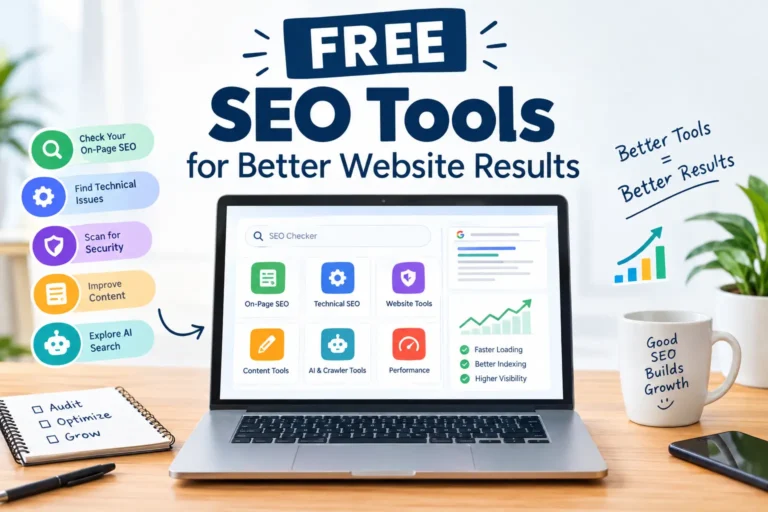
This guide covers the 14 free tools on our free SEO tools page. It explains what each tool does, when to use it, and what to fix first. The advice suits site owners in the USA, the UK, Canada, Australia, New Zealand and beyond. No signup is required.
What Are Free SEO Tools, and Who Needs Them?
Free SEO tools are web-based utilities that check one part of your site’s search health. One measures a title tag. Another validates a sitemap. They do not replace a full paid suite, but they cover the basics well.
They are useful for:
- Small business owners in the USA, UK, Canada, Australia and New Zealand who manage their own website
- Bloggers and writers who publish every week
- Freelancers who need quick client checks
- Marketers who want a fast second opinion
If you are new to SEO, read Google’s SEO Starter Guide first. Then use the tools below to apply it.
The 14 Free SEO Tools at a Glance
| Group | Tool | Best for |
| On-page | Meta Title & Description Checker | Snippet length and preview |
| On-page | H1-H6 Heading Tag Checker | Heading structure |
| On-page | Word Counter | Length and keyword frequency |
| On-page | Case Converter | Title case and slugs |
| Technical | Website SEO Checker | Quick full-page scan |
| Technical | Robots.txt Checker | Crawl blocking |
| Technical | Sitemap Checker | Indexing support |
| Technical | HTTPS & SSL Checker | Security and redirects |
| Technical | Domain Age Checker | Registration and expiry |
| AI search | AI Crawler Access Checker | GPTBot and ClaudeBot access |
| AI search | LLMs.txt Checker & Validator | llms.txt validation |
| Writing | Plagiarism Checker | Duplicate text |
| Writing | AI Checker | AI writing patterns |
| Writing | Rephrase Tool | Rewriting sentences |
A DA PA Checker is listed as coming soon, so it is not counted here.
On-Page SEO Tools: Fix What Searchers See First
On-page issues are the easiest to fix, and they affect clicks directly.
1. Meta Title & Description Checker
Your title and meta description make up the snippet people see in Google. If they run too long, Google may cut them off. The Meta Title & Description Checker shows their length and a desktop and mobile preview.
Tip: Put the main keyword near the start of the title. Write the description as a short promise, not a list of keywords.
2. H1-H6 Heading Tag Checker
A page needs one clear H1 and logical subheadings. The Heading Tag Checker reads pasted HTML and lists every heading. Use it to catch skipped levels or a missing H1.
3. Word Counter
The Word Counter reports words, characters, sentences, paragraphs, reading time, and top keywords. If one phrase dominates the keyword list, rewrite the text to sound more natural.
4. Case Converter
The Case Converter turns text into UPPERCASE, lowercase, Title Case, Sentence case, camelCase, snake_case and more. It is a small time-saver for headings, slugs and code.
Technical SEO Tools: Make Sure Google Can Reach Your Pages
A great article still fails if search engines cannot crawl it.
5. Website SEO Checker
Start here when you are unsure where the problem is. The Website SEO Checker scans a page for missing titles, headings, schema, and canonical tags. It also shows domain age and rank.
6. Robots.txt Checker
One wrong line in robots.txt can block a whole folder. The Robots.txt Checker confirms the file exists, spots blocked pages and flags syntax problems. Google explains the file in its robots.txt introduction.
7. Sitemap Checker
A sitemap helps search engines find your URLs. The Sitemap Checker finds the file, counts URLs and tests whether the listed pages load. A sitemap full of broken URLs is a poor signal. The Sitemaps protocol describes the standard format.
8. HTTPS & SSL Checker
Visitors expect a secure site, especially when they shop or fill in forms. The HTTPS & SSL Checker shows certificate expiry, HTTPS redirects and security headers. Check it monthly so an expired certificate never surprises you.
9. Domain Age Checker
The Domain Age Checker shows when a domain was registered, when it expires and how old it is. Use it when buying a domain or reviewing a competitor. Age alone does not guarantee rankings, so treat it as context.
AI Search Tools: Prepare for ChatGPT, Claude and AI Answers
More people now get answers from AI assistants. Whether those tools can read your site is a new and real question. If the topic is new to you, read our guide on what GEO is and why it matters.
10. AI Crawler Access Checker
Some sites block AI bots by accident. The AI Crawler Access Checker tells you whether crawlers such as GPTBot and ClaudeBot are blocked. Allowing or blocking them is a business choice. The goal is to make it a choice, not an accident.
11. LLMs.txt Checker & Validator
The llms.txt file is a proposed standard that points AI tools to your key content. See the llms.txt proposal for background. The LLMs.txt Validator checks your file and shows how an AI tool may read your site. The format is still emerging, so do not expect guaranteed results.
Content Quality Tools: Publish With Confidence
12. Rephrase Tool
The Rephrase Tool rewrites sentences in standard, fluent, formal, simple, creative or shorter styles. It is handy for tightening wordy lines. Always read the output before publishing.
Free SEO Tools for Websites in the USA, UK, Canada, Australia and New Zealand
These tools check any public page, so they work for sites in every English-speaking market. A few points help by region:
- USA: The largest and most competitive market. Fix technical basics first, such as robots.txt, sitemap and SSL, because small errors cost the most where competition is high.
- UK, Canada, Australia and New Zealand: Many sites use local domain endings such as .co.uk, .ca, .com.au or .co.nz. Run the same checks on each version, and make sure titles and descriptions use local spelling and wording.
- Multi-country sites: The tools above do not test hreflang tags. Review those separately in Google Search Console.
Wherever your audience is, the order of work stays the same: crawl, index, then content.
A 20-Minute Free SEO Audit Workflow
Follow this order on any new page:
- Scan the page with the Website SEO Checker.
- Fix the title and description in the Meta Checker.
- Confirm one H1 and clean subheadings.
- Test robots.txt and the sitemap.
- Verify HTTPS and certificate dates.
- Check AI crawler access.
- Run plagiarism and AI checks on new content.
Fix the highest-impact item first. A blocked page matters more than a long meta description.
Free vs Paid SEO Tools: What You Give Up
Free tools do not track keyword rankings over time. They also lack a full backlink database. For those jobs, use Google’s free Search Console or a paid suite. A smart small business starts free and pays only when it hits a clear limit. Our guide to AI tools for small businesses covers other budget-friendly options.
Common Mistakes When Using Free SEO Tools
- Chasing scores. A perfect score does not equal rankings.
- Ignoring search intent. Tools cannot judge whether your page answers the query.
- Fixing everything at once. Start with crawl and index issues.
- Skipping re-checks. Test again after every site change.
If you are still building your site, our post on ==how to start an online business in the USA== shows what to set up first.
FAQs
What are the best free SEO tools?It depends on the job. For a first audit, use a website SEO checker, a meta checker, a robots.txt checker and a sitemap checker.
Are free SEO tools good enough for a small business? Yes, for basic audits and regular checks. Add paid tools only if you need rank tracking or deep backlink data.
Do I need to sign up to use these tools? No. The tools on our page work without signup.
Do these tools work for sites outside the USA? Yes. They check public pages, so they suit sites in the UK, Canada, Australia, New Zealand and other countries.
How often should I run an SEO check? Run a quick check after every major change and a full review each month.
Can free SEO tools improve my rankings? They find problems but do not rank pages themselves. Rankings improve when you fix issues and publish useful content.
What is robots.txt, and why check it? It tells crawlers which areas they may visit. A mistake can hide important pages from search.
What is llms.txt? It is a proposed file that guides AI tools to your key content. It is not yet a universal standard.
Is it safe to paste my content into online tools? Avoid pasting private or unpublished client work into any online tool unless you trust its privacy terms.
Conclusion
The best free SEO tools will not replace strategy, but they remove guesswork. Run the checks, fix the biggest problem first, and repeat monthly. Ready to start? Open our Free SEO & Digital Tools page and run your first audit today.



Pingback: Free SEO Tools for Better Website Results