Free SEO Tools for Better Website Results
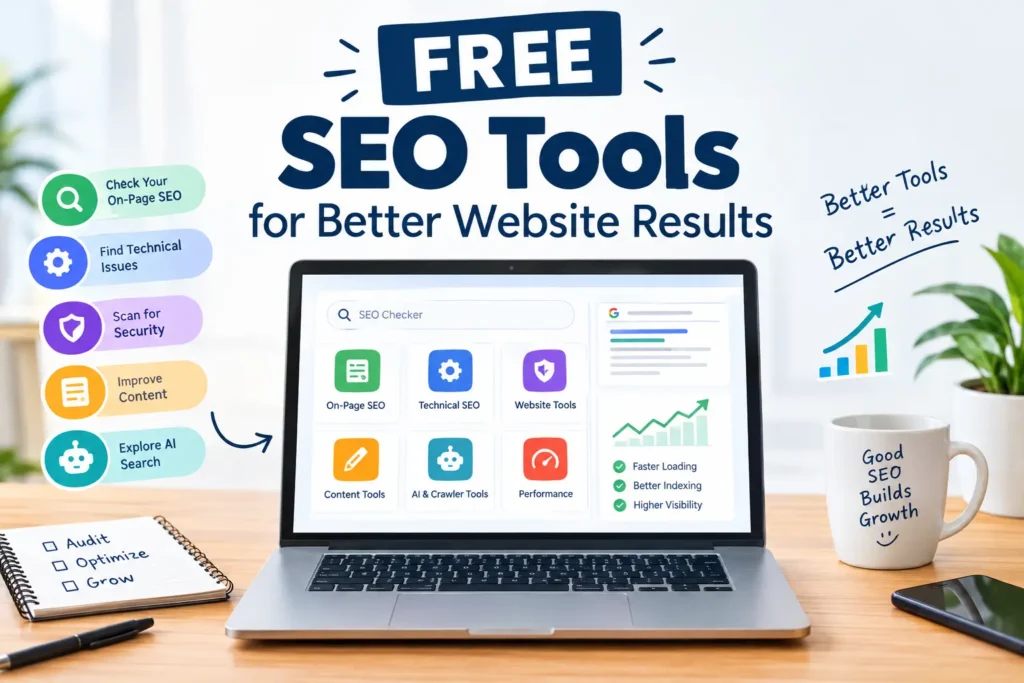
Free SEO tools help you check a web page, find problems, and fix them without paying. At USABusinessDaily, you run each check in your browser. You do not need an account.
Paste a web address or some text, and the tool shows a clear report in seconds. The tools suit small business owners, bloggers, freelancers, and marketers. They cover meta tags, headings, robots.txt, XML sitemaps, SSL, domain age, word counts, and AI content testing. Want a wider comparison first? Read our guide to the best free SEO tools.
What are free SEO tools? They are online utilities that check one part of your search setup, such as meta tags, headings, crawl rules, or site security. Each tool has limits, and none can promise higher Google rankings. They show you what to fix. You decide what to change.
Explore Free SEO & Website Tools
Our tools sit in a few clear groups. Pick the group that matches your task.
- On-page SEO tools: Review a page’s meta title, meta description, and headings (H1 to H6).
- Technical SEO tools: Read a site’s robots.txt file and XML sitemap.
- Website and security checkers: Confirm that SSL is active and see when a domain was registered.
- Content and writing tools: Count words and characters with the Word Counter, or switch text case with the Case Converter.
- AI content tools: Test whether a piece of text looks AI-written.
Some tools carry a “Coming soon” label. We publish a tool only after it works reliably.
Check Your Website Free with the SEO Checker, or open any tool above.
How to Use These Free SEO Tools
- Choose a tool. Pick the one that fits your task from the list.
- Enter your details. Add your full web address, including https://, or paste your text.
- Read and act. Review the report, fix errors first, then work through warnings.
Free to use. No account required. See our Privacy Policy for data details.
What Can You Check With Free SEO Tools?
Each check reads public data from your page or domain. Here is what it covers and why it matters.
| Check | What it looks at | Why it matters |
| Meta title and description | Text and length | They shape how your page appears in search results |
| Headings | H1 to H6 order | A clear structure helps readers and crawlers follow your page |
| robots.txt | Crawl rules | It tells crawlers which paths to skip |
| XML sitemap | List of URLs | It helps search engines find your pages |
| SSL | Certificate status | HTTPS protects visitors and builds trust |
| Domain age | Registration date | It adds context, but it is not a ranking lever |
| Word count and case | Your text | It keeps drafts within length targets |
| AI content test | Writing patterns | It gives an estimate, not proof |
Tools that check a website read public information, such as page HTML, robots.txt, sitemaps, SSL certificates, and domain records. Text tools like the Word Counter run in your browser, so your text stays on your device.
How to Interpret Your Results
A report is a starting point. Use these rules to read it well.
- Start with errors. A missing title, no H1, an invalid sitemap, or an expired certificate can hurt both users and crawlers.
- Treat warnings as suggestions. Fix them when they match your goals.
- Treat scores as guides. The SEO score helps you compare changes. It is not a Google ranking score.
- Mind title length. Google cuts titles by pixel width, not character count. About 50 to 60 characters usually fits. Read Google’s advice on title links.
- Expect rewritten snippets. Google may replace your meta description with text from the page. See how search snippets work.
- Know what robots.txt does. It controls crawling. It does not remove a page from results. Learn the basics in Google’s robots.txt guide.
- Do not expect a sitemap to force indexing. It helps discovery only. Read Google’s sitemap overview.
Then confirm key findings in Google Search Console and Bing Webmaster Tools. Use Google PageSpeed Insights to review Core Web Vitals: Largest Contentful Paint (LCP), Interaction to Next Paint (INP), and Cumulative Layout Shift (CLS). For wider background, see Google Search Central and Google Search Essentials.
Robots.txt and AI crawlers
AI crawlers such as GPTBot and ClaudeBot read the robots.txt file. If you see a Disallow rule for one of them, you have blocked it. Permission in robots.txt only means the crawler may visit. It does not mean it will. Google also states that its AI search features need no special technical setup beyond standard SEO. Read its guidance on AI features in Search, and follow more AI and search trends on our site.
Free SEO Tools vs. Paid SEO Software
Free tools shine at fast, single-page checks. Paid platforms such as Semrush, Ahrefs, Moz, and Screaming Frog add depth.
| Need | USABusinessDaily free tools | Paid platforms |
| Quick one-page check | Strong fit | Available |
| Site-wide crawl | Not included | Common feature |
| Keyword volumes | Not included | Common feature |
| Backlink data | Not included | Common feature |
| Rank tracking | Not included | Common feature |
Features vary by product. A small site can cover the basics with these tools plus Google Search Console. Agencies and large stores often add paid software for crawls and keyword data. Explore more digital marketing guides for next steps.
Frequently Asked Questions
What are the best free SEO tools?
The best choice depends on your task. For meta tags, headings, robots.txt, sitemaps, and SSL, use the free SEO tools on this page. For search data, add Google Search Console. Our list of the best free SEO tools compares more options.
How can I check my website SEO for free?
Open the SEO Checker, enter your full web address, and run the check. You get a report on selected on-page and technical items. It covers only the checks the tool supports.
Are free SEO tools accurate?
They read live public data, so facts such as a title or a certificate date are current when you run the check. Scores and AI content results are estimates. Use them as guidance, not a verdict.
Can free SEO tools help improve Google rankings?
Not by themselves. They find issues. Rankings depend on the fixes you make and on many other factors.
How do I check a meta title and description?
Run your page through the on-page tools to review the text. Keep the title near 50 to 60 characters. Remember that Google may rewrite your snippet.
Can I check robots.txt and an XML sitemap online?
Yes. The technical SEO tools read both files from your site. They can show format and access issues. They cannot guarantee indexing.
Do I need an account to use these tools?
No. Every tool is free, and no signup is required.
Are free SEO tools suitable for small businesses?
Often, yes, for basic checks. Pair them with Google Search Console. Add paid software when you need site-wide crawls, keyword volumes, or backlink data.
Can I check whether AI crawlers can access my website?
Read your robots.txt file with the technical tools and look for rules naming crawlers such as GPTBot or ClaudeBot. These rules show permission, not actual visits.
Is LLMs.txt required for Google rankings?
No. Google’s published AI search guidance lists no special requirement for AI Overviews or AI Mode. Standard SEO work still applies.
Need a check we do not offer yet? Contact us and suggest a tool. Or Try Another Free Tool from the list above.