
6 Smart Home Upgrades Under $100 Worth Installing In 2026
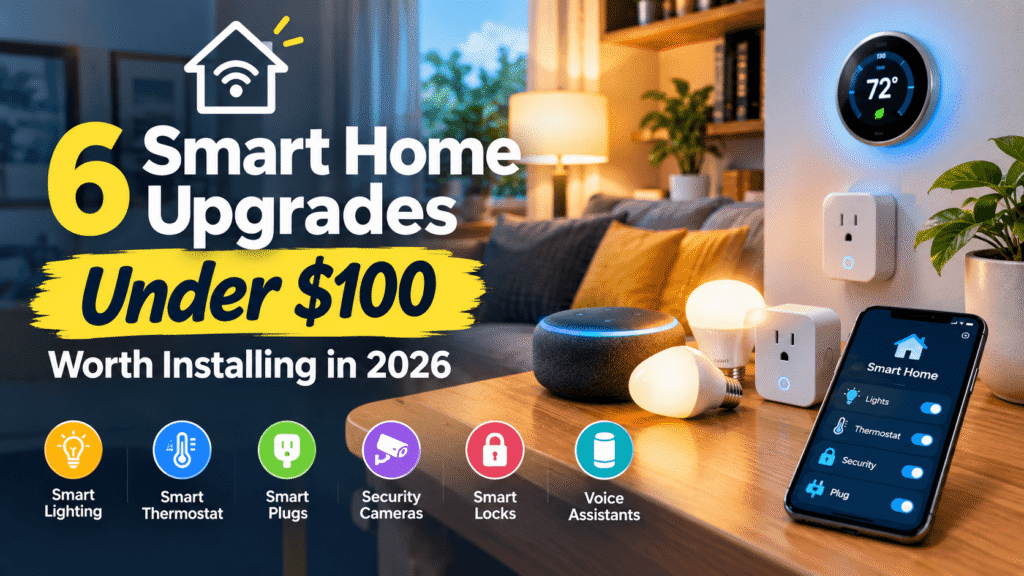
You do not need a $1,000 system to get real value from a connected home. The best smart home upgrades under $100 each fix one specific problem. Maybe a lamp stays on all day. Maybe a water heater leaks while you are at work. Or maybe a thermostat heats an empty house.
This guide from USA Business Daily covers six upgrades that each cost under $100. For each one, you will see the typical price and the setup difficulty. You will also learn whether it needs a subscription and who should skip it. If you are new to all this, our smart home for beginners guide explains the basics first.
Smart devices are now mainstream. Parks Associates reports that about 54 million US internet households own at least one smart home device. However, the same research found that 52% of owners who set up a device themselves had difficulty doing it. For that reason, this guide spends as much time on setup and compatibility as it does on the devices.
What Are the Best Smart Home Upgrades Under $100?
The best smart home upgrades under $100 are smart plugs, smart bulbs, a budget thermostat, water leak sensors, an indoor camera, and a smart light switch. Each costs roughly $10 to $100. Each also solves a different problem, from lighting to water damage. Start with the one that matches your biggest household problem.
| Upgrade | Typical price | Problem it solves | Setup | Subscription |
| Smart plug | $8–$25 per plug | Forgotten lamps, standby power | Very easy | No |
| Smart bulbs | $7–$20 per bulb | Manual lighting | Very easy | No |
| Smart thermostat | $50–$100, often on sale | Wasted heating and cooling | Moderate | Usually no |
| Water leak sensor | $10–$45 per sensor | Undetected leaks | Very easy | Usually no |
| Indoor security camera | $25–$60 | Remote visibility | Easy | Varies by brand |
| Smart light switch | $15–$45 | Wall-switch control | Moderate | No |
Prices are typical ranges from retailer listings and published reviews between June and September 2026. They change often and vary by retailer, so check the current listing before you buy.
1. Smart Plugs: The Cheapest Way to Automate What You Already Own
A smart plug sits between a wall outlet and a lamp, fan, or other simple device. Once it joins your Wi-Fi, you can control that device from your phone, on a schedule, or by voice. Because nothing gets wired or replaced, it is one of the lowest-risk first purchases in a smart home on a budget. It is also one of the few smart home upgrades under $100 that a renter can take along when moving.
| Detail | What to expect |
| Typical price | $8–$25 per plug, often cheaper in multi-packs |
| Setup | Very easy: plug in and pair with the app |
| Subscription | No |
| Works with | Alexa and Google Home on most models; Apple Home on Matter models |
What Problem Does a Smart Plug Solve?
Lamps and small appliances often stay on when nobody needs them. Meanwhile, electronics keep drawing power in standby mode. Alan Meier, a scientist at Lawrence Berkeley National Laboratory, offers a best guess that standby power makes up 5 to 10 percent of electricity use in an average American home. He adds that no agreed-upon figure exists.
A plug will not remove all of that waste. Instead, it helps most with devices you can safely cut power to, such as a media center or a window fan. Also, a smart plug uses a little power itself. It pays off best on devices that draw more in standby than the plug does.
An energy monitoring smart plug goes one step further by showing how much power a device uses. In the Parks Associates research, 55% of US internet households found device-level energy insights appealing.
What Should You Check Before Buying a Smart Plug?
- First, confirm the plug connects to 2.4 GHz Wi-Fi. Many budget plugs support only that band.
- Next, choose a Matter-certified plug if you might switch between Alexa, Google Home, and Apple Home later.
- Then check the rating. Many plugs are rated for 15 amps and 1,800 watts, and you should never exceed the printed rating.
- Finally, keep space heaters off smart plugs. Heaters draw high current, so a wall outlet is the safer place for them.
Who Should Buy a Smart Plug?
Best for: renters, first-time buyers, and anyone who wants simple schedules. Skip it if: the device needs a button press to restart after power returns, as many coffee makers do. For product comparisons, see our guide to the best smart plugs.
2. Smart LED Bulbs: A Visible Upgrade With Almost No Setup
Smart bulbs replace the bulbs you already own. After you screw one in and pair it with an app, you can dim it, schedule it, or change its color. Voice control works too. Many Wi-Fi models need no hub at all. However, Zigbee systems such as Philips Hue work best with a bridge, which often pushes the starter cost past $100.
| Detail | What to expect |
| Typical price | $7–$20 per bulb, often cheaper in multi-packs |
| Setup | Very easy: screw in and pair with the app |
| Subscription | No |
| Works with | Alexa and Google Home on most models; Apple Home varies by model |
What Problem Do Smart Bulbs Solve?
Manual lighting is a small daily chore. A bulb that fades on at sunrise or turns off at midnight removes it. In addition, LED bulbs are typically rated for about 25,000 hours. At six hours a day, that is more than 11 years of use.
Where Do Smart Bulbs Fall Short?
- If someone flips the wall switch off, the bulb loses power and drops offline. This is the most common frustration, and it is why smart switches exist (see upgrade 6).
- Standard wall dimmers can also cause flicker or buzzing. Instead, leave the switch on and dim through the app.
- Wi-Fi bulbs generally stop responding to app or voice commands when your internet connection drops.
- Finally, a room with six recessed lights needs six bulbs, and that cost adds up quickly.
Who Should Buy Smart Bulbs?
Best for: lamps, bedrooms, and renters who want color or dimming without touching wiring. Skip it if: the room has many fixtures, because a switch is usually cheaper there. For design inspiration, browse our smart lighting ideas.
3. Smart Thermostat: The Biggest Savings Potential (Under $100 Only on Sale)
Of these smart home upgrades under $100, a thermostat has the best-documented savings. According to ENERGY STAR, heating and cooling take almost half of an average household’s energy bill. That works out to more than $900 a year. ENERGY STAR also estimates that certified smart thermostats save about 8% of heating and cooling bills, or roughly $50 a year, on average. Savings can be higher or lower, depending on climate, comfort preferences, occupancy, and equipment.
At that average, a $60 thermostat pays for itself in about 14 months. A $100 model takes about two years. Of course, your own result will differ.
| Detail | What to expect |
| Typical price | $50–$100, often only on sale |
| Setup | Moderate: involves low-voltage wiring |
| Subscription | Usually no |
| Works with | Varies by model; check Alexa, Google Home, and Apple Home support |
How Much Do Budget Smart Thermostats Really Cost?
Prices vary widely. At the time of writing, the Amazon Smart Thermostat lists around $60 to $80. The Sensi Lite and Wyze Thermostat sit near $50 to $70. The Google Nest Thermostat has a $129.99 list price but often sells for $79 to $99. By contrast, the ecobee Smart Thermostat Essential usually costs more than $100, so it falls outside this list.
Some utilities also offer rebates on ENERGY STAR certified models. Published estimates range from about $50 to $150, so check your utility’s website before you buy.
Will a Smart Thermostat Work With Your Wiring?
Check this first, because it decides whether the thermostat will work at all.
- Most models need a low-voltage, 24-volt system. Electric baseboard heaters use line voltage and need a different type of thermostat.
- Many models also need a C-wire, which supplies steady power. The Amazon Smart Thermostat requires one and does not include an adapter. By comparison, the Google Nest Thermostat works without one in most homes, and ecobee includes a power extender kit.
- Before you disconnect anything, photograph the old wiring and turn off power at the breaker.
- Finally, call an HVAC technician if you have a zoned system, a heat pump you are unsure about, or wires you cannot identify. A wiring error can damage equipment.
Compatibility differs too. The Amazon Smart Thermostat works with Alexa only. Google’s 2020 Nest Thermostat does not reach Apple Home, while ecobee models support Apple’s HomeKit natively.
Who Should Buy a Smart Thermostat?
Best for: homes with central heating and cooling, 24-volt wiring, and regular HVAC use. Skip it if: you heat with electric baseboards or cannot confirm your wiring. For a wider look at cutting bills, read our smart home energy-saving tips. Our smart thermostats guide also compares more models.
4. Water Leak Sensors: A Low-Cost Warning for a Costly Problem
Water damage is one of the most common home insurance claims. The Insurance Information Institute (Triple-I) reports that about 1 in 60 insured homes has a water damage or freezing claim each year. For 2019 to 2023, the average paid claim in that category was $15,400.
A water leak sensor cannot stop a leak. Instead, it warns you while the damage is still small. One sensor costs a tiny fraction of an average claim. Coverage also varies, because many policies cover sudden leaks but not slow leaks that go unnoticed for weeks. Read your own policy to be sure. Among these smart home upgrades under $100, this one guards against the costliest surprise.
| Detail | What to expect |
| Typical price | $10–$45 per sensor; hub kits about $35–$90 |
| Setup | Very easy: place, pair, and test |
| Subscription | Usually no |
| Works with | App alerts on all models; Alexa or IFTTT on some |
How Do Water Leak Sensors Work?
The sensor sits on the floor. When its contacts touch water, it sounds a local alarm and sends a phone alert. There are two main types.
- Hub-free Wi-Fi sensors connect straight to your 2.4 GHz network. They are the simplest option, although each one uses its own Wi-Fi connection.
- Hub-based sensors, such as YoLink or Aqara models, route through one small hub. The hub adds cost, but some systems reach basements and outbuildings that Wi-Fi cannot.
Where Should You Place Leak Sensors?
Put sensors under kitchen and bathroom sinks and behind toilets. Also place them next to the water heater, near the washing machine and dishwasher, by a sump pump, and near a refrigerator’s water line. If pipes run through unheated spaces, look for a model with freeze alerts. Some Kidde and X-Sense sensors include them.
Keep the limits in mind. An alert only helps if someone acts on it, so name a neighbor or family member as a backup contact when you travel. Test each sensor and check its battery on a regular schedule. Meanwhile, automatic shutoff valves that close the water supply cost far more than this list allows.
Who Should Buy a Leak Sensor?
Best for: homeowners and renters with basements, laundry rooms, or older appliances. Skip it if: you already have a whole-home water monitor with automatic shutoff. In some systems, a sensor can also trigger other devices when water appears. See our home automation ideas for examples.
5. Indoor Security Camera: Remote Visibility, but Watch the Subscription
An indoor security camera lets you check on pets, kids, or an empty house from your phone. Budget models now offer 1080p to 2K video, night vision, and motion alerts. This is one of the few smart home upgrades under $100 where monthly fees can matter. Storage is where the real cost hides.
| Detail | What to expect |
| Typical price | $25–$60; microSD card sold separately |
| Setup | Easy: plug in, pair, and place |
| Subscription | Varies: optional on some brands, needed for cloud video on others |
| Works with | Alexa on most models; Google Home support varies |
How Do Storage and Subscriptions Differ?
Here is how three popular budget cameras handle recordings:
- Blink Mini 2: cloud clips need a paid plan after a free trial. Adding a Sync Module 2 and a USB drive enables local storage without a monthly fee.
- TP-Link Tapo C120: records to a microSD card, sold separately, with no cloud plan required.
- Wyze Cam v4: supports microSD recording and offers an optional paid plan for extra features.
Paid plans typically cost a few dollars per camera each month, and prices change. Storage math matters too. A 128 GB card holds only a few days of nonstop 2K video. In contrast, motion-only recording stretches the same card to weeks or even months.
What Privacy Steps Should You Take?
- Keep cameras in shared areas, never in bedrooms or bathrooms.
- Also use a unique password and turn on two-factor authentication.
- Install firmware updates when the app offers them.
- Finally, check local rules before you record audio. Recording laws vary by state, and audio is often regulated more strictly than video. Our smart home privacy guide covers more.
Who Should Buy an Indoor Camera?
Best for: pet check-ins, watching an entry from inside, and looking in on an older relative with their consent. Skip it if: you need outdoor coverage, because most budget indoor cameras are not built for rain. For a wider setup, see our smart home security guide.
6. Smart Light Switch: Permanent Control Without Swapping Every Bulb
A smart light switch replaces the wall switch itself. It controls whatever bulbs are connected, including ordinary LEDs, and it keeps working when someone flips it by hand. As a result, it fixes the biggest weakness of smart bulbs. It is also one of two smart home upgrades under $100 that involve wiring.
Consider a simple cost example. Six recessed bulbs at $10 each cost $60. By comparison, one $20 smart switch can control all six.
| Detail | What to expect |
| Typical price | $15–$45 for neutral-wire Wi-Fi models |
| Setup | Moderate: involves in-wall wiring |
| Subscription | No |
| Works with | Alexa and Google Home on most models; Matter models add Apple Home |
Does Your Home Have a Neutral Wire?
Most Wi-Fi switches need a neutral wire for constant power. It is usually a bundle of white wires at the back of the switch box. Unfortunately, older homes often lack one. Options that work without a neutral, such as Lutron Caséta, need a hub. A Caséta starter kit with the hub costs about $115, which is over this guide’s limit.
What Else Should You Check Before Buying a Switch?
- First, confirm 3-way support if a light has two switches. Some basic models are single-pole only.
- Next, check the load rating against your fixtures, especially for dimmers.
- Also look for Matter support if you use more than one ecosystem.
Safety comes first. Turn off the circuit breaker, then confirm the power is off with a non-contact voltage tester. Hire a licensed electrician if you see aluminum wiring, damaged insulation, or anything you cannot identify. Renters should also get landlord approval before changing any wiring.
Who Should Buy a Smart Light Switch?
Best for: homeowners with a neutral wire, rooms with many bulbs, and people comfortable with basic wiring. Skip it if: you rent, or your home has no neutral wire, and you do not want to buy a hub.
How to Choose Among Smart Home Upgrades Under $100
Start with the problem that would cost you the most if it went wrong. The table below matches common problems to these smart home upgrades under $100.
| Your problem | Best upgrade | Why |
| Lamps and small devices stay on | Smart plug | Schedules and remote switching, no wiring |
| You want dimming or color in a lamp | Smart bulbs | Screw in and pair |
| Heating and cooling bills are high | Smart thermostat | ENERGY STAR reports about 8% average savings |
| Basement, laundry, or water heater risk | Water leak sensor | Early warning before damage spreads |
| You want to check on home or pets | Indoor security camera | Live view and motion alerts |
| A room has many bulbs or a busy wall switch | Smart light switch | Controls all bulbs and survives manual flips |
Renters can start with plugs, bulbs, leak sensors, and a camera, because none needs permanent changes. Our list of smart home devices for renters goes further.
How Much Does a Budget Smart Home Cost?
Each of the smart home upgrades under $100 above costs less than $100 on its own. However, you can also combine several affordable smart home devices into one starter setup that stays near $100 in total. Here is one example.
| Item | Example cost | Problem solved |
| 2-pack of smart plugs | $20 | Lamps and standby power |
| 2 hub-free Wi-Fi leak sensors | $30 | Kitchen and laundry leaks |
| Indoor camera | $25 | Remote visibility |
| 2-pack of smart bulbs | $15 | Dimming and schedules |
| Total | $90 | About $10 left for a microSD card |
Treat this as an example, not a shopping list. Swap items to match your biggest problems.
Matter, Alexa, Google Home, and Apple Home: What to Check Before You Buy
Compatibility matters for every one of these smart home upgrades under $100, and Matter is meant to make it easier. Matter is an open standard managed by the Connectivity Standards Alliance, whose members include Apple, Google, Amazon, and Samsung. A Matter-certified device should work with several platforms, including Apple Home, Google Home, Alexa, and SmartThings.
Still, there are limits to know about:
- You need a Matter controller, such as a HomePod, an Apple TV, a Nest Hub, or a recent Echo speaker.
- Matter devices connect over Wi-Fi or over Thread. Thread is a low-power mesh network that needs a border router, and many speakers and hubs already include one.
- Many budget products still lack Matter, and features can differ by platform. For example, the Amazon Smart Thermostat works only with Alexa.
A simple rule works well. Look for the Matter logo, then confirm your own platform on the product page. Our guide to Matter-compatible smart devices lists options by category.
Common Smart Home Buying Mistakes to Avoid
Even inexpensive smart home upgrades under $100 go wrong for predictable reasons.
- Skipping the compatibility check. A device that does not support your platform becomes a drawer item.
- Ignoring wiring. Thermostats and switches need the right wires, so check before you buy.
- Overlooking subscriptions. Camera storage is where hidden monthly costs appear.
- Overloading your router. Many Wi-Fi devices on one basic router can cause dropouts.
- Buying features you will not use. A color bulb is a poor choice for a hallway.
- Buying on price alone. Unknown brands may not publish security updates.
How UsaBusinessDaily Chose These Upgrades
We chose smart home upgrades under $100 that solve a clear household problem and need no professional in most cases. The exceptions are thermostat and switch wiring, which we flag in each section. This guide draws on manufacturer specifications, retailer listings, published expert reviews, and data from ENERGY STAR, Triple-I, and Parks Associates. The USA Business Daily editorial team did not hands-on test each device for this article. Prices reflect listings and reviews from June to September 2026 and can change. Finally, brand names are examples of each category, not rankings.
Conclusion
The best smart home upgrades under $100 are the ones you will actually use. Pick one problem, choose the matching device, and check compatibility and subscription costs. Then expand from there. If your home has a basement or laundry room, a leak sensor is a smart first buy. If your bills are high, check your wiring and consider a thermostat. For everything else, plugs and bulbs are a low-risk start. Whichever of these smart home devices under $100 you choose, check the last-updated date at the top and confirm current prices before you buy.
Frequently Asked Questions
Can I build a smart home for under $100?
Yes. Smart home upgrades under $100 include plugs, bulbs, sensors, and cameras. For example, the sample budget above totals about $90. You do not need to automate the whole house at once.
What smart home device should I buy first?
Start with the device that solves your biggest problem. A smart plug is the easiest first step, while a water leak sensor protects against the costliest surprise. If your home has compatible wiring, a thermostat has the most savings potential.
Are smart plugs worth buying?
They are worth it for lamps, fans, and electronics that you want on a schedule. However, they do not suit devices that will not restart after power returns. They also will not remove all standby power in your home.
Do smart thermostats really save money?
ENERGY STAR estimates average savings of about 8% of heating and cooling bills, or roughly $50 a year. Actual savings depend on your climate, habits, and equipment.
Do smart home devices require a subscription?
Usually not for basic control. Plugs, bulbs, switches, and most leak sensors work without a fee. Cameras vary, so check whether cloud video, person detection, and history need a paid plan.
Does Matter work with Alexa and Google Home?
Yes, for supported device types. Matter-certified plugs, bulbs, and switches can work with Alexa, Google Home, Apple Home, and SmartThings. However, you still need a Matter controller, and some features may differ by platform.
Are smart home devices good for renters?
Many are. Plugs, bulbs, leak sensors, and cameras need no wiring changes. In contrast, in-wall switches and thermostats usually need your landlord’s approval.
Do smart home devices work without Wi-Fi?
Many budget devices use Wi-Fi and stop responding to remote commands during an outage. Others use Thread, Zigbee, or a hub and can keep some local automations running. Requirements vary by product.
Are smart home devices secure?
Any connected device carries some risk. To reduce it, use a unique password, turn on two-factor authentication, and update firmware. Also buy from established brands that publish security updates.
Can I install these upgrades myself?
Plugs, bulbs, leak sensors, and cameras are simple DIY projects. Thermostats and switches involve wiring, so turn off power first. If anything is unclear, hire a professional.



Pingback: Future Healthcare Technology in Home Care: 2026 Guide