
15 Best AI Tools for Small Businesses in the USA -2026 Guide
The best AI tools for small businesses in the USA depend on the job you need done. Assistants like ChatGPT and Claude help with writing and research. Canva supports marketing. HubSpot manages leads. Zapier connects your apps. Pick one task, test a free plan, and measure the result before you pay for anything.
That advice matches the US Small Business Administration, which tells owners to start small and test free or low-cost tools first. This guide from USABusinessDaily compares 15 best AI tools for small business owners, with real prices, free-plan limits, and honest drawbacks.
Why Small Businesses Are Turning to AI
Adoption is real, but it is still early. The US Census Bureau found that about 17% to 20% of US businesses used AI between December 2025 and May 2026. The rate was 19.8% on May 3, 2026.
Size matters here. Among firms with 250 or more employees, 37% reported using AI. Among firms with four or fewer employees, fewer than 20% did. So small teams still have room to gain an edge.
Most owners start with the same problems:
- Too many repeat tasks, such as emails, quotes, and scheduling
- Not enough time for marketing
- Missed leads and slow replies
- Meeting notes that never get written
AI can help with each one. It will not fix a weak offer or a poor product. It speeds up routine work, and a person still checks the result.
Best AI Tools for Small Businesses at a Glance
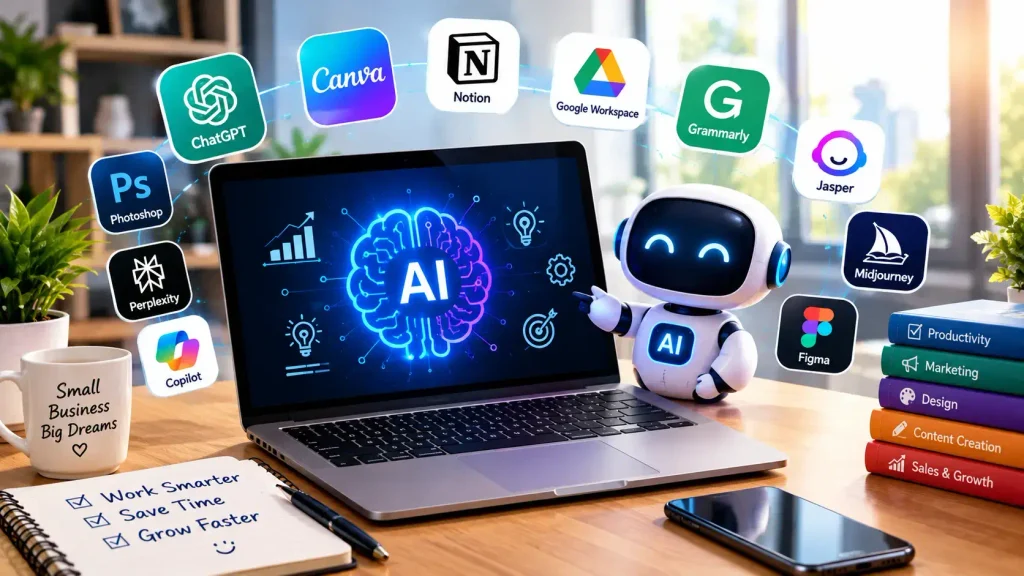
Use this table to shortlist two or three tools. Prices are in US dollars and come from each company’s official page on October 11, 2026. Plans change often, so confirm before you buy.
| Tool | Best for | Free option | Paid pricing (verified) | Main limitation |
| ChatGPT | General business tasks | Yes | See the official pricing page | Answers need fact-checking |
| Claude | Long documents and writing | Yes | Pro $17/month billed yearly; Team from $20/seat | Not a full business platform |
| Google Gemini | Google Workspace users | Yes (basic) | Included in Workspace plans at different levels | Best features sit in higher tiers |
| Perplexity | Sourced research | Yes | Pro tier available | Still needs source checks |
| Microsoft Copilot | Microsoft 365 teams | Limited | See the official pricing page | Value depends on Microsoft 365 use |
| Canva | Visual marketing | Yes (20 AI uses) | Pro $144/year | Brand review still needed |
| Jasper | Brand-voice marketing copy | 7-day trial | Pro $69/month, or $59 billed yearly | Costly for solo owners |
| Buffer | Social media scheduling | Yes (3 channels) | Essentials $5 per channel/month | Free AI replies are capped |
| HubSpot | CRM and lead follow-up | Yes | Paid tiers vary | Costs rise as you scale |
| Intercom | Customer support | Trial | Fin AI agent from $0.99 per outcome | Pay-per-outcome costs can add up |
| Calendly | Scheduling | Yes | Standard $10/seat | Free plan has one event type |
| Zapier | Connecting apps | Yes (100 tasks) | Professional from $19.99/month | Complex flows need testing |
| Notion AI | Team knowledge | Limited trial | Business $20/member/month | Needs organized notes |
| Otter.ai | Meeting notes | Yes (300 minutes) | Pro $8.49/user/month | Transcripts contain errors |
| QuickBooks | Bookkeeping | No | Simple Start $38/month | Price jumps after promo |
Quick picks: Best overall starter is ChatGPT, Claude, or Gemini. Best free CRM is HubSpot. Best for marketing visuals is Canva. Best for automation is Zapier.
How We Evaluated These AI Tools
This is a researched comparison, not a hands-on lab test. USABusinessDaily did not run timed trials, and we do not claim to have. We reviewed each tool’s official pricing and feature pages. We then ranked each one by how well it fits a small US business.
We used five criteria:
- Cost: Is there a free plan, and what do paid plans really cost?
- Ease of use: Can a non-technical owner start in under an hour?
- Fit: Does it solve one clear business problem?
- Integrations: Does it connect to the tools you already use?
- Data handling: What controls does the vendor offer?
We link to official pages so you can verify every price. If any link in this post earns us a commission, we will say so next to it.
15 Best AI Tools for Small Businesses
General-Purpose AI Assistants
These are the best first purchase for most owners. They draft, summarize, and brainstorm. Our guide to AI content creation tools covers more writing options.
- ChatGPT. ChatGPT has Free, Go, Plus, Pro, and Business plans. Use it to draft customer emails, write job posts, and outline proposals. Its limit is accuracy. Check every number and claim before you send it.
- Claude. Claude is strong with long documents, such as contracts, reports, and policy drafts. The Free plan costs nothing. Pro is $17 a month billed yearly, or $20 billed monthly. Team seats start at $20 per seat on annual billing. It is a writing and analysis tool, not a CRM or scheduler.
- Google Gemini. Gemini comes with Google Workspace. Business Starter includes basic access with limited Gemini inside apps. Business Standard and Plus add expanded access, including Gemini in Docs, Sheets, and Meet. If your team lives in Gmail and Sheets, start here.
- Perplexity. Perplexity answers questions with cited sources. That makes it useful for competitor research and market checks. The Pro tier adds deeper research and more file uploads. Always open the cited sources yourself.
- Microsoft Copilot. If your team already uses Word, Excel, Outlook, and Teams, Microsoft Copilot works inside those apps. Its value depends on how much your team uses Microsoft 365. Check current pricing before you commit.
Marketing and Design Tools
Looking for more options? See our roundup of AI marketing tools for small businesses.
- Canva. Canva is the easiest way to turn an idea into a post, flyer, or ad. The Free plan includes up to 20 Standard or Premium AI uses. Canva Pro costs $144 a year and includes up to 200 Premium AI uses a month. Note that Canva Teams is closed to new sign-ups. The Business plan costs $250 per person per year.
- Jasper. Jasper focuses on brand-consistent marketing copy. Pro costs $69 a month, or $59 a month billed yearly. A 7-day trial is available. For a solo owner, a general assistant is usually cheaper. Jasper pays off for teams that publish a lot of content.
- Buffer. Buffer schedules posts and includes an AI Assistant on every plan. The Free plan covers three channels and 10 scheduled posts per channel. It also limits AI replies to five suggestions a week. Essentials costs $5 per channel per month.
Sales and Customer Service Tools
- HubSpot. HubSpot offers a permanently free CRM. It tracks contacts and deals, and it includes the Breeze Assistant to summarize records and prep sales calls. The free plan supports two users. Costs rise when you add paid tiers, so review each upgrade carefully.
- Intercom. Intercom is built for support teams. Its Fin AI agent starts at $0.99 per resolved outcome, with no seats required. Helpdesk seats start at $29 per month. Because you pay per outcome, a busy month raises your bill.
- Calendly. Calendly stops the back-and-forth of booking calls. The Free plan allows one event type. Standard costs $10 per seat and Teams costs $16 per seat. It is simple, and that is the point.
Automation and Productivity Tools
- Zapier. Zapier links your apps so work moves on its own. A new lead can land in your CRM and trigger a welcome email. The Free plan includes 100 tasks a month. Professional starts at $19.99 a month. Learn the basics in our guide to AI workflow automation.
- Notion AI. Notion turns your notes into a searchable team hub. Free and Plus plans include only a limited AI trial. Full Notion AI comes with the Business plan at $20 per member per month. It works best when your documents are already organized.
Meeting and Finance Tools
- Otter.ai. Otter records and transcribes meetings. The free Basic plan gives you 300 minutes a month, with a 30-minute cap per conversation. Pro costs $8.49 per user per month at the current discounted price. Review transcripts before you share them. Names and numbers are often wrong.
- QuickBooks. QuickBooks Online adds AI features to bookkeeping, such as expense categorization and cash-flow insights. Simple Start lists at $38 a month, with a 50% discount for the first three months. Plan for the regular price from month four.
Best Free AI Tools for Small Businesses
You can build a useful stack for $0. These free AI tools for small business owners cover most daily needs:
| Need | Free option | Free-plan limit |
| Writing and research | ChatGPT, Claude, or Gemini | Usage caps apply |
| Design | Canva Free | 20 AI uses |
| CRM | HubSpot Free | Two users |
| Automation | Zapier Free | 100 tasks a month |
| Meeting notes | Otter Basic | 300 minutes a month |
| Social media | Buffer Free | 3 channels, 10 scheduled posts each |
| Scheduling | Calendly Free | One event type |
Upgrade when a limit blocks real work, not before. If you hit the same cap every week, a paid plan is likely worth it.
Best AI Tools by Business Type
Not every owner needs the same stack. Here is a practical starting point for each group.
- Solo owners: One general assistant plus Calendly. Add Zapier later.
- Ecommerce shops: Canva for product visuals, an assistant for descriptions, and Intercom for support. Read our guide to AI tools for ecommerce businesses for more.
- Local service businesses: HubSpot for leads, Calendly for booking, and Zapier to connect them.
- Agencies: Jasper or an assistant for drafts, Canva for design, and Buffer for scheduling.
- Professional firms: Claude or Copilot for documents, and Otter for meeting notes.
- Small teams: Zapier plus Notion, so work does not live in five different apps.
Our overview of software for small businesses shows how these tools fit with accounting, payroll, and project management.
How Much Do AI Tools Cost?
Most owners can start for $0 to $50 a month. Costs grow when you add seats, extra usage, or add-ons. A realistic basic stack looks like this:
- Claude Pro: $17 a month on annual billing
- Canva Pro: 12amonth(144 a year)
- Zapier Professional: from $19.99 a month
That adds up to roughly $49 a month. Watch for hidden costs, too. These include per-seat fees, usage-based pricing like Intercom’s, and promo prices that expire, like QuickBooks.
How to Calculate ROI
Use this simple formula:
Net benefit = Value of time saved − Total AI costs
Here is an example with made-up numbers. Say a tool saves you 10 hours a month. Your time is worth $30 an hour, so that is $300. The tool costs $40 a month. Your net benefit is $260.
This measures time value, not new revenue. Track both so you know what the tool really delivers. Use the formula on one tool today. Then check it again after 30 days.
Next step: Calculate your potential AI savings. Write down the hours a task takes now, then compare after a month of testing.
AI Security and Privacy for Small Businesses
Data risk is the most overlooked part of AI adoption. The SBA advises owners to keep sensitive and proprietary information out of AI tools. It also says a person should review AI output for accuracy.
Follow these rules:
- Never paste sensitive data. This includes customer payment details, passwords, and employee records.
- Read the data terms. Check how each vendor stores and uses your inputs.
- Limit access. Give each person only the tools they need.
- Review every output. AI can sound confident and still be wrong.
- Write a short policy. Say which tools are approved and what data may go in.
For a deeper walkthrough, read our guide on ==protecting business data when using AI==. Larger firms can also use the NIST AI Risk Management Framework. It is voluntary, and it organizes AI risk into four functions: Govern, Map, Measure, and Manage. The SBA also suggests asking a lawyer whether your AI use fits local laws.
How to Implement AI in 30 Days
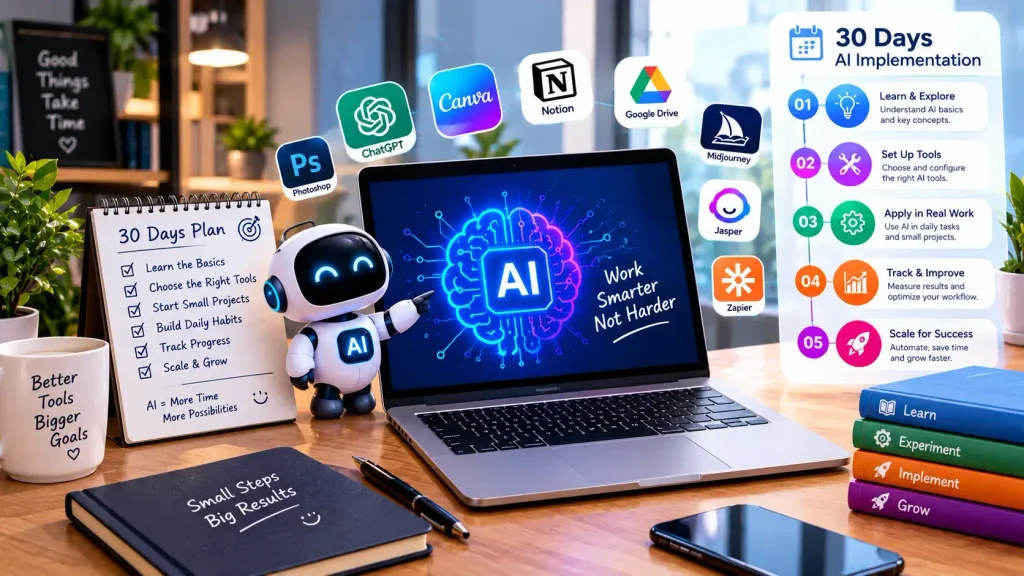
Follow this plan to get a first win without wasting money.
Days 1 to 7: Pick one problem. Choose a repeat, low-risk task. Record how long it takes today.
Days 8 to 14: Test two tools. Run the same task in both. Compare quality, ease of use, cost, and data terms.
Days 15 to 21: Set simple rules. Write down who uses the tool and when a person must review the output.
Days 22 to 30: Measure and decide. Compare time, quality, and errors against your baseline. Keep it, change it, or cancel it.
Frequently Asked Questions
What are the best AI tools for small businesses in the USA? It depends on the task. Assistants like ChatGPT, Claude, and Gemini suit writing and research. Canva handles design. HubSpot manages leads. Zapier automates workflows. Start with one tool that fits your biggest time drain.
What is the best free AI tool for a small business? For most owners, a free general assistant is the best start. HubSpot’s free CRM and Zapier’s free plan are strong next steps. Check each plan’s limits before you rely on it.
How can small businesses use AI to save time? Draft emails, summarize documents, create social posts, transcribe meetings, and automate data entry. Pick one task and measure the hours saved.
How much do AI tools cost for small businesses? Many owners start at $0 to $50 a month. Prices rise with extra seats and usage. Track your cost against time saved.
Which AI tools are best for small business marketing? Canva, Buffer, and Jasper cover design, scheduling, and copy. A general assistant can draft campaign ideas. See our list of ==AI marketing tools for small businesses== for more.
Are AI tools safe for small business data? Safety depends on the tool and your settings. Avoid entering sensitive data, review vendor terms, and limit access.
Can AI help a small business increase sales? It can help you follow up faster and publish more consistently. It cannot guarantee sales. Track your own conversion numbers.
How should a small business start using AI? Pick one low-risk task. Time it by hand first. Test a tool for two weeks, review the output, and compare.
Conclusion:
The right AI tools for small businesses in the USA are the ones that fix a real problem at a price you can justify. Do not buy five subscriptions at once. Choose one task, test one tool, and set one measurable goal.
Review the official pricing pages for your top two or three options. Then run a real task through each. If you want more help, explore the rest of our coverage at USABusinessDaily.




Pingback: Best AI Tools for Small Business Owners in 2026