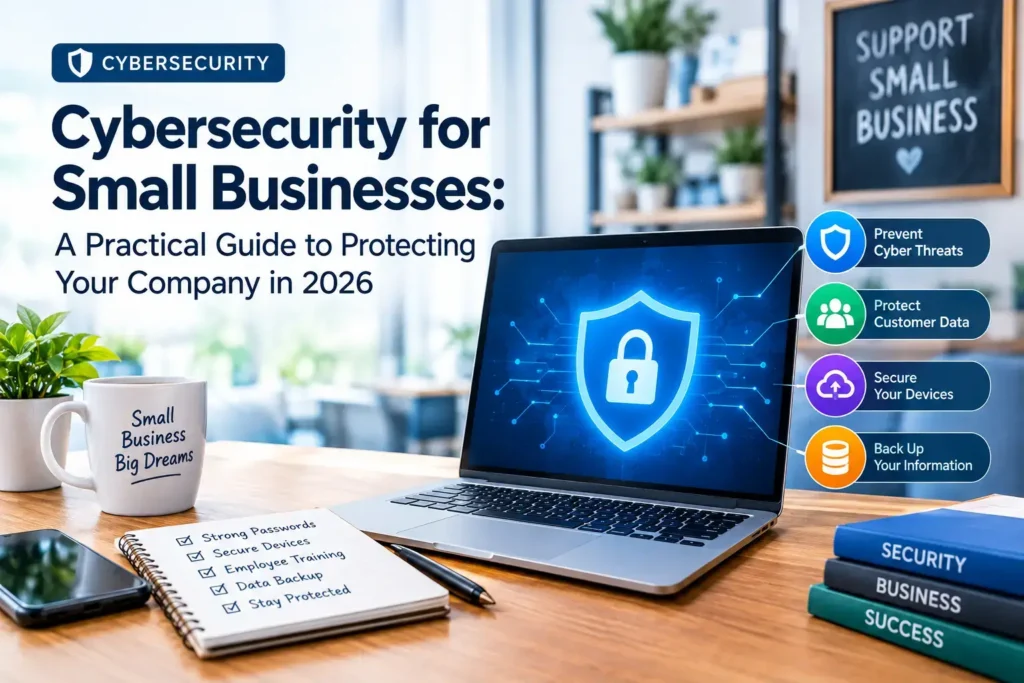
Cybersecurity for Small Businesses: A Practical Guide to Protecting Your Company in 2026
Most owners think hackers want bigger fish. The data says otherwise. This guide from USABusinessDaily shows what cybersecurity for small business really involves, what it costs, and what to do first.
Small business cybersecurity protects your accounts, devices, networks, and customer data from attacks. The core measures are multi-factor authentication (MFA), regular updates, tested backups, employee training, and an incident response plan.
Key takeaways
- Turn on MFA for email, banking, and admin accounts first.
- Patch software quickly, because attackers exploit known flaws.
- Test your backups. An untested backup is only a guess.
- Train staff to spot phishing and to report it fast.
- Write down your response plan before you need it.
Want a printable version? Download our Small Business Cybersecurity Checklist at the end of this guide.
What Is Cybersecurity for Small Businesses?
Cybersecurity for small businesses is the practice of protecting a company’s devices, accounts, networks, and data. It guards against unauthorized access, fraud, malware, and data loss.
It covers more than antivirus software. It includes people, habits, and recovery plans. A strong setup combines technology with clear rules that employees can follow.
Think of it as a lock, an alarm, and a fire drill. The lock keeps intruders out. The alarm tells you when something is wrong. The drill helps everyone act fast.
Why Cybersecurity Matters for Small Businesses
A cyberattack hits a small company harder than a large one. You have fewer people, smaller cash reserves, and less backup support.
Here is what an attack can cost you:
- Downtime: You cannot take orders, invoice clients, or ship products.
- Stolen data: Customer records and payment details can be exposed.
- Lost trust: Customers may leave after a breach.
- Legal duties: Many states require you to notify affected people.
Your size does not make you invisible. Criminals use automated tools that scan thousands of businesses at once. Your business gets caught in that net.
The Biggest Cybersecurity Threats Facing Small Businesses
These small business cyber threats show up again and again.
Phishing and Business Email Compromise
Phishing uses fake emails or texts to trick people into clicking, paying, or sharing passwords. Business email compromise (BEC) goes further. The attacker poses as a vendor or boss and requests a payment. Learn how to prevent phishing attacks early, because one click can open the door.
Ransomware
Ransomware locks your files and demands payment. Attackers often steal data first. Then they threaten to publish it.
Stolen Credentials
Attackers buy or steal passwords, then simply log in. Reused passwords make this easy. MFA blocks most of these attempts.
Software Vulnerabilities
Old software has known flaws. Attackers scan the internet for businesses that have not patched them.
Third-Party Risk
Your vendors, apps, and contractors can be a weak link. A supplier with poor security can expose you.
AI-Assisted Attacks and Shadow AI
Attackers now use AI to write convincing phishing messages. Meanwhile, employees paste business data into AI tools. This is often called “shadow AI,” and it creates a new leak risk.
Small Business Cybersecurity Statistics for 2026
Numbers help set priorities. Each figure below comes from a named report, and each has limits. Read them as patterns, not as your personal odds.
Verizon’s 2026 Data Breach Investigations Report (DBIR):
- Ransomware appeared in 83% of small and medium-sized business breaches, compared with 48% of breaches across all organizations. Verizon counts any organization with fewer than 1,000 employees as small.
- Small organizations made up 96% of ransomware victims. This describes victims in the report’s data. It does not mean 96% of small businesses get attacked.
- Among small and medium-sized business breaches, exploited vulnerabilities were the top way in at 26%, ahead of credential abuse at 13% and phishing at 9%.
- Of ransomware victims, 73% had an infostealer or credential compromise, and half of those had credentials stolen within 95 days before the attack.
- Employee use of AI tools tripled to 45%, and 67% of users reached AI services through non-corporate accounts on work devices.
National Cybersecurity Alliance (NCA) 2026 survey, built with CISA:
- The survey covered 1,000 small and medium-sized business leaders across 10 industries.
- More than half could not confirm a clean security record, and AI adoption had outpaced governance.
- Only 23.7% of organizations review cybersecurity as a business risk monthly.
What do these numbers mean for you? Tools alone do not protect a business. Habits do. Patch fast, protect logins, and review your risks every month. You can read the full findings in the Verizon DBIR and the NCA small business survey.
12 Ways to Improve Small Business Cybersecurity
The NIST Cybersecurity Framework 2.0 small business quick-start guide organizes security into six functions: Govern, Identify, Protect, Detect, Respond, and Recover. The 12 steps below follow that logic. Each step works for a five-person shop.
1. Turn On Multi-Factor Authentication (MFA)
MFA asks for a second proof of identity, such as a code or app prompt. Start with email, banking, payroll, and admin accounts. The CISA small and medium business resources recommend MFA, and phishing-resistant options where available.
2. Use a Password Manager
Reused passwords are risky. A password manager creates and stores a unique password for every account. Staff then remember one strong passphrase.
3. Update Software Quickly
Turn on automatic updates for operating systems, browsers, and business apps. Patch internet-facing systems first. Remove software you no longer use.
4. Back Up Your Data and Test It
Follow a simple rule: keep three copies, on two types of storage, with one copy offline or off-site. Then run a restore test every quarter. A solid business data backup strategy also protects backups from being changed or deleted by an attacker.
5. Install Endpoint Protection
Basic antivirus blocks known malware. Endpoint detection and response (EDR) also monitors device activity and helps you investigate. Compare options in our guide to cybersecurity software for small businesses.
6. Train Your Employees
People are your first line of defense. Keep training short and frequent. Use real examples, such as fake invoices and urgent “CEO” requests. Make reporting easy and blame-free.
7. Set Up Email Authentication
SPF, DKIM, and DMARC help stop criminals from spoofing your domain. They also protect your customers from fake emails sent in your name.
8. Secure Your Network
Change default router passwords. Use WPA3 or WPA2 on Wi-Fi. Create a separate guest network. Turn on your firewall, and require a VPN or secure access for remote work.
9. Limit Access
Give each person only the access their job needs. This is called least privilege. Remove accounts the same day someone leaves.
10. Encrypt Sensitive Data
Turn on full-disk encryption for laptops and phones. Encrypt files that hold customer or payment data. A lost laptop then becomes an inconvenience, not a breach.
11. Check Your Vendors
Ask suppliers how they protect your data. Confirm they use MFA. Ask how they would tell you about a breach. The FTC’s small business guidance includes vendor security questions.
12. Monitor and Prepare to Respond
Turn on login alerts and keep activity logs. Then write a cybersecurity incident response plan with names, phone numbers, and first steps. Put a printed copy somewhere you can reach if systems go down.
Small Business Cybersecurity Checklist
Use this list as a monthly review. Our full small business cybersecurity checklist expands each item.
- [ ] MFA is on for email, banking, and admin accounts
- [ ] Every employee uses a password manager
- [ ] Operating systems and apps update automatically
- [ ] Backups ran this month, and a restore test passed this quarter
- [ ] Endpoint protection is active on every device
- [ ] Staff completed phishing training this quarter
- [ ] SPF, DKIM, and DMARC are set up
- [ ] Former employees have no active accounts
- [ ] Laptops and phones are encrypted
- [ ] Vendor access has been reviewed
- [ ] The incident response plan is current, and contacts are correct
- [ ] A rule exists for what data may go into AI tools
Download the Small Business Cybersecurity Checklist and share it with your team.
How Much Does Small Business Cybersecurity Cost?
There is no single price. Reliable cost figures depend on your size, your data, and your current tools. Be wary of any article that quotes one “average” cost for everyone.
These factors drive your cost:
| Cost factor | What to consider |
| Number of users and devices | Most tools charge per user or per device |
| Type of data you hold | Payment, health, or financial data raises the bar |
| Existing tools | Your email and operating system may already include security features |
| Internal IT time | Staff hours are a real cost, even without a software bill |
| Outside support | Managed services add a monthly fee but reduce your workload |
| Insurance requirements | Insurers may require MFA, backups, or EDR |
| Cost of an incident | Downtime, recovery, and lost sales often exceed prevention costs |
Start with low-cost basics. MFA, updates, backups, and training deliver the most protection per dollar. Then add paid tools where your risk is highest. Always confirm current pricing directly with vendors.
Best Cybersecurity Tools and Services for Small Businesses
Choose tools by the problem they solve, not by brand name. Here is how the main options compare.
| Option | Best for | Limits |
| Built-in security (OS and email suite) | Solo businesses and tight budgets | Coverage and monitoring vary |
| Standalone tools (password manager, EDR, email filter) | Teams with some technical skill | You must set up and manage each tool |
| Managed IT or security provider | Teams with no in-house IT | Monthly cost, and you must vet the provider |
Antivirus vs. EDR: Antivirus mainly blocks known or suspicious malware. EDR adds activity monitoring, investigation, and response, depending on the product. If you handle sensitive data, EDR is worth a close look.
Free vs. paid: Free and built-in tools make a useful foundation. Still, check what they cover. Confirm device protection, account security, backups, monitoring, and recovery. Gaps in any of these should guide your next purchase.
How to Choose a Cybersecurity Provider
Hire help when you lack time, skills, or both. Use these questions before you sign:
- What exactly is included in the service, and what is not?
- How do you monitor, and how fast do you respond to alerts?
- Which security standards do you follow, such as the NIST framework?
- Who owns the data, and how do I get it back if I leave?
- Can you share references from businesses my size?
- What happens, step by step, if I have an incident at 2 a.m.?
- Do you carry professional liability or cyber insurance?
Avoid anyone who promises “100% protection.” No provider can guarantee that. Learn what to expect from cybersecurity services for small businesses before you compare quotes.
What to Do After a Cyberattack
Stay calm and move in order. Speed matters, but so does evidence.
- Activate your plan. Alert your response team and your IT provider.
- Contain the damage. Disconnect affected devices from the network. Do not wipe them yet.
- Secure accounts. Change passwords from a clean device and revoke suspicious sessions.
- Preserve evidence. Save logs, emails, and screenshots.
- Call experts. Bring in qualified incident responders, and contact your cyber insurer if you have a policy.
- Report it. File a complaint with the FBI’s Internet Crime Complaint Center (IC3). Use the FTC’s data breach response guide to understand your next steps.
- Notify people. Check which laws and contracts require you to tell customers or regulators.
- Recover and review. Restore from clean backups, then fix the weakness that let the attacker in.
Cybersecurity Requirements for Small Businesses in the USA
No single law covers every small business. Your duties depend on your industry, your data, your state, and your contracts. Common examples include:
- FTC Act: The FTC can act against unfair or deceptive data security practices.
- HIPAA: Applies to healthcare providers and their business associates.
- GLBA Safeguards Rule: Applies to many financial businesses, including some you might not expect.
- PCI DSS: A card-industry standard for businesses that accept card payments.
- State breach notification laws: Every state has rules on telling people when their data is exposed.
This is general information, not legal advice. Ask a qualified attorney which rules apply to you.
Frequently Asked Questions
What is the most important cybersecurity measure for a small business?
Start with MFA on business accounts. Then add timely updates, tested backups, and restricted access. Your exact priorities depend on your systems and risks.
How much should a small business spend on cybersecurity?
No fixed percentage fits every company. Costs depend on staff size, data sensitivity, industry rules, existing tools, and the outside support you need.
Can free cybersecurity tools protect a small business?
They can form a useful base, but coverage varies. Verify protection for devices, accounts, backups, monitoring, and recovery before you rely on them.
What are the biggest cybersecurity threats to small businesses?
Phishing, stolen credentials, ransomware, software vulnerabilities, business email compromise, and weak third-party access top the list.
Does my small business need a cybersecurity policy?
Yes, in most cases. A written policy sets rules for access, devices, passwords, reporting, backups, and incident response. Legal requirements vary by industry.
How often should a small business back up its data?
Match backup frequency to how much data you can afford to lose. Test restores regularly. Also protect backups from unauthorized changes.
What is the difference between antivirus and EDR?
Antivirus blocks known or suspicious malware. EDR adds monitoring, investigation, and response features, depending on the product.
Is cybersecurity insurance enough?
No. Insurance may cover some financial losses, subject to its terms and exclusions. It does not prevent attacks. You still need technical safeguards and a response plan.
What should I do if my small business is hacked?
Follow your response plan. Isolate affected systems, preserve evidence, call incident experts, secure accounts, and meet your reporting duties.
Are small businesses legally required to implement cybersecurity?
It depends on your industry, data, location, and contracts. Several federal and state rules apply to specific sectors.
Your Next Steps: A 30-Day Security Plan
You do not need to fix everything at once. Use this order.
Within 24 hours
- Turn on MFA for email and banking.
- Check that your latest backup exists.
Within 7 days
- Install a password manager and move staff onto it.
- Turn on automatic updates everywhere.
- Remove accounts for former staff and contractors.
Within 30 days
- Run a phishing training session.
- Test a backup restore.
- Set up SPF, DKIM, and DMARC.
- Write your cybersecurity incident response plan.
- Review vendor access and set an AI-use rule.
Security is not a one-time project. Review it monthly, and update it as your business grows.
Ready to act? Download the Small Business Cybersecurity Checklist, or request a security assessment to find your biggest gaps. For more practical guidance, keep reading USABusinessDaily.
Sources used: NIST, CISA, FTC, Verizon DBIR, National Cybersecurity Alliance, FBI IC3. Statistics are dated 2026 and should be rechecked at each quarterly review.