Instructional Technology Services: A Complete Guide for Schools and Businesses
Many schools and training teams own more learning tools than they can use well. Teachers log in to three platforms. Course pages look different in every department. Support tickets pile up. This is the gap that instructional technology services fill.
At USABusinessDaily, we reviewed federal guidance, national survey data, and professional standards to explain what these services include and what they cost. We also cover how to choose a provider you can trust. This guide is written for school leaders, university teams, and corporate training managers in the United States.
What Are Instructional Technology Services?
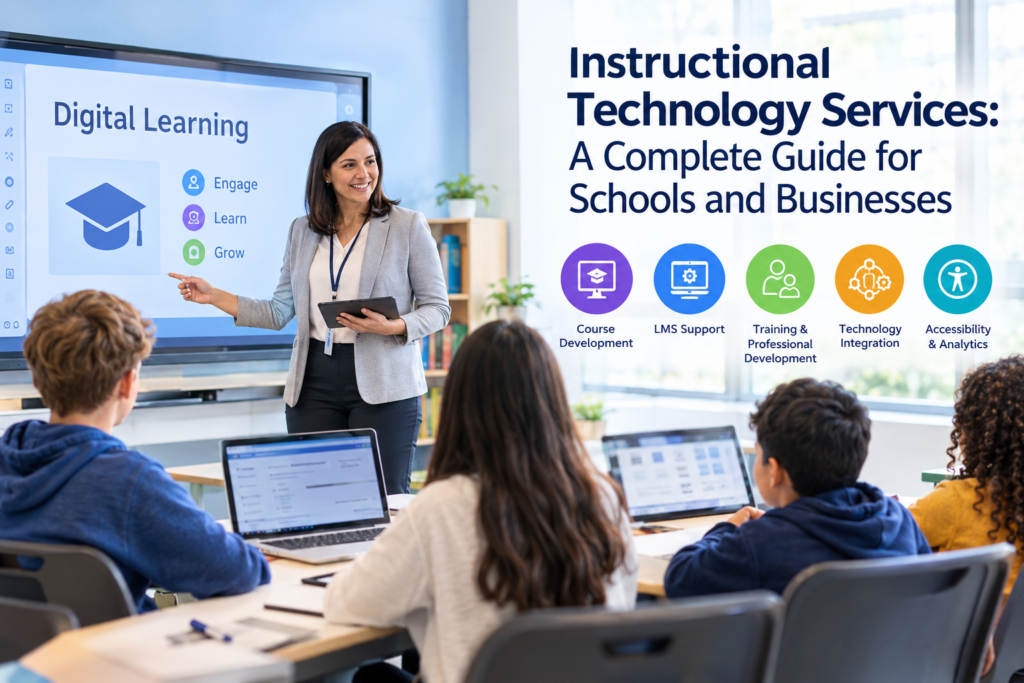
Instructional technology services help schools, colleges, and training organizations select, set up, support, and evaluate the technology used for teaching and learning. They typically include learning management system (LMS) support, digital course development, educator training, classroom technology integration, accessibility reviews, and learning analytics.
In short, these services connect teaching goals to the right tools. They also make sure people know how to use those tools well.
What Services Are Included?
The exact scope depends on the provider and the contract. Most packages draw from the seven areas below.
- Instructional design and digital course development
- LMS implementation and administration
- Faculty and teacher training
- Classroom technology integration
- Accessibility and inclusive learning support
- Learning analytics and assessment
- Technical troubleshooting and ongoing support
The higher education IT community uses a similar structure. The EDUCAUSE service catalog model lists LMS platforms, instructional design, assessment, lecture capture, and learning analytics as core teaching-and-learning services.
Instructional Design and E-Learning Development
Designers turn learning goals into structured courses. They write objectives, build activities, create assessments, and format content for online or blended delivery. Schools that want help here often look for <mark>instructional design services</mark> to build or rework courses at scale.
LMS Implementation and Support
A learning platform only helps if it is configured correctly. Providers set up user roles, connect the platform to student information systems, migrate old courses, and answer daily support questions. Read more about <mark>learning management systems</mark> before you compare vendors.
Faculty Training and Professional Development
Training turns software into practice. Good programs use short workshops, hands-on practice, and follow-up coaching. A single launch-day demo rarely changes habits.
Classroom Technology Integration
This covers projectors, interactive displays, student devices, lecture capture, and polling tools. A good provider matches each tool to a teaching purpose. It does not install gadgets for their own sake.
Accessibility and Learning Analytics
Accessibility specialists check captions, color contrast, reading order, and keyboard navigation. Analysts track completion, participation, and assessment results. Together, they show whether a course works for every learner. See our overview of <mark>digital accessibility</mark> and our guide to <mark>learning analytics</mark> for more detail.
Instructional Technology vs. Instructional Design vs. General IT Support
People often mix these terms up. Buyers who do so end up hiring the wrong team.
| Area | Main question | Typical work | Typical owner |
| Instructional technology | Which tools support learning, and how do we use them well? | Tool selection, LMS setup, training, integration | Learning technology team |
| Instructional design | How should this course be structured? | Objectives, activities, assessments, content | Instructional designers |
| General IT support | Does the device or network work? | Hardware, networks, accounts, security | IT help desk |
The three areas overlap. A new LMS needs IT security, instructional design for course layouts, and instructional technology for training. Treat them as partners, not substitutes.
Benefits of Instructional Technology Services
The benefits depend on how well the service is planned. Technology alone does not improve learning. Here are the benefits that providers can reasonably deliver.
- More consistent courses. Shared templates give learners a predictable experience across classes.
- Better teacher confidence. Staff who receive practical training are more likely to use tools as intended.
- Fewer technical interruptions. Planned support reduces lost class time.
- Broader access. Captions, flexible formats, and assistive tools help learners with different needs.
- Clearer decisions. Analytics show which tools and courses are working.
Examples by Audience
The scenarios below are hypothetical. They illustrate how needs differ.
- A K–12 district has six reading tools and no shared training plan. A provider audits usage, retires overlapping tools, and trains teachers on the two that remain.
- A university runs 400 online courses with no common layout. A team builds a template and trains faculty to use it.
- A corporate training department has low course completion. A designer shortens modules, adds practice activities, and sets up reports that managers can read.
Companies with similar needs can also explore <mark>corporate training solutions</mark>.
Common Technologies and Use Cases
Instructional technology covers a wide range of tools. Common categories include:
- Learning management systems for courses, grades, and communication
- Virtual classrooms for live online sessions
- Lecture capture for recorded lessons
- Digital assessment tools for quizzes and feedback
- Interactive content authoring tools
- Assistive technology such as screen readers and captioning
Each tool should answer a clear teaching need. If no one can explain the learning purpose, the tool probably does not belong in the plan.
AI, Accessibility, and Data Privacy
Three issues now shape most technology decisions.
AI in Instructional Technology
Schools are adopting AI quickly, but policy is lagging. The National Center for Education Statistics (NCES) School Pulse Panel found that 67% of U.S. public schools provided AI training to some or all teachers in the 2024–25 school year. Only 31% reported a written policy on student use of AI. These figures come from a December 2024 survey, so they describe that period, not today.
The gap between training and policy matters. A provider that helps with <mark>AI in education</mark> should address both. That means teacher training, clear student-use rules, and a review of how each tool handles data.
Accessibility
Accessible design helps all learners, not only those with disabilities. Two references guide most work:
- The Web Content Accessibility Guidelines (WCAG) define technical accessibility standards for web content.
- The Universal Design for Learning Guidelines from CAST focus on removing barriers and offering flexible ways to learn.
Ask any provider how they test for accessibility. A vague answer is a warning sign.
Student Data Privacy
U.S. schools must protect student records under the Family Educational Rights and Privacy Act (FERPA). Providers should explain what data they collect, who can see it, how long they keep it, and how they delete it. This is educational information, not legal advice. Your district counsel should review contracts.
What Federal Guidance Says
On August 20, 2026, the U.S. Department of Education released a Dear Colleague Letter on the responsible use of education technology. The guidance asks schools to choose technology with a clear instructional purpose, supported by evidence, transparent in design and data use, and backed by strong implementation. It is guidance, not a new rule. States and districts still make the final decisions.
The ISTE Standards offer a useful companion for teacher training and technology integration.
How to Choose an Instructional Technology Provider
Start with your own needs. Write down your learning goals, current systems, accessibility requirements, security rules, budget, and support expectations. Then compare providers against the same list.
Use this evaluation table. The factors are our editorial framework, not an industry standard.
| Factor | What to check |
| Relevant experience | Has the provider worked with similar schools or training teams? |
| Service scope | Does the proposal include setup, training, support, and evaluation? |
| Technical integration | Can they work with your LMS and student information system? |
| Accessibility | How do they test and fix accessibility problems? |
| Data protection | What data is collected, who can access it, and how is it secured? |
| Training | Are documentation and knowledge transfer included? |
| Support | What are response times, support hours, and escalation steps? |
| Pricing | Are setup, recurring, and extra-work costs listed? |
| Measurement | Who defines success metrics and reports on them? |
A Simple Scoring Method
Score each factor from 1 to 5. Weight the factors that matter most to you. A district with strict privacy rules might weight data protection highest. A university with a large online catalog might weight integration highest. Publish your weights before you read proposals so the scoring stays fair.
Questions to Ask Every Provider
- Can you show a similar project and explain what changed afterward?
- Who will actually do the work, and what is their experience?
- How do you handle accessibility problems found after launch?
- What happens to our data if we end the contract?
- How do you measure whether teachers adopt the tools?
Organizations that need broader planning help may also review <mark>technology consulting services</mark>.
Internal Team, Consultant, or Hybrid?
An internal team knows your culture and stays on after a project ends. A consultant brings specialist skills and speed. A hybrid model often works best: an outside provider builds the foundation, trains your staff, and hands over ongoing work.
How Much Do Instructional Technology Services Cost?
No single average price is reliable. Costs vary with scope, number of users, number of courses, integration needs, accessibility work, and ongoing support. Treat any quoted average with caution unless the source shows its method and date.
Most providers use one of three pricing models.
- Project-based: a fixed price for a defined deliverable, such as moving courses to a new LMS.
- Hourly or daily consulting: suited to audits, advice, and limited implementation work.
- Retainer or managed service: recurring fees for support, training, and improvements.
Ask for a written quote that lists setup costs, recurring fees, integration charges, and extra-work rates. Get at least three quotes with the same scope so you can compare them fairly.
Implementation Roadmap
Timelines vary by project size and organizational readiness. This six-stage roadmap is a sample, not a fixed schedule.
- Discovery: interview staff, review current tools, and list problems.
- Requirements: define goals, accessibility needs, security rules, and budget.
- Selection: compare providers or products using your scorecard.
- Configuration: set up systems, templates, and integrations.
- Pilot: test with a small group, collect feedback, and fix issues.
- Evaluation: review results, then expand or adjust.
Do not skip the pilot. Small tests catch problems before they reach every classroom.
How to Measure Success
Pick measures before the project starts. Useful indicators include:
- Teacher and student adoption of the tools
- Support ticket volume and resolution time
- Course completion and assessment results
- Accessibility audit results
- Learner and staff feedback
Be careful with claims. Higher tool use does not prove better learning. Compare results with a baseline, and review them on a fixed schedule.
Evidence at a Glance
| Source | Finding | Limitation |
| NCES School Pulse Panel, Dec. 2024 | 67% of public schools provided AI training to some or all teachers | Survey of schools, not a measure of learning results |
| NCES School Pulse Panel, Dec. 2024 | 31% reported a written policy on student AI use | Describes late 2024, not 2026 |
| U.S. Department of Education, Aug. 20, 2026 | Technology should have a clear instructional purpose and be backed by evidence | Guidance, not a federal rule |
Frequently Asked Questions
What are instructional technology services?
They help schools and training organizations select, set up, support, and evaluate learning technology. Typical work includes LMS support, course development, educator training, accessibility, and classroom technology integration.
What is included in instructional technology services?
Scope varies by contract. Common items are technology planning, LMS setup, course design, training, digital assessment, accessibility reviews, troubleshooting, and outcome evaluation. Always confirm the scope in writing.
What is the difference between instructional technology and instructional design?
Instructional technology focuses on tools and how people use them. Instructional design focuses on how a course or lesson is structured. Projects usually need both.
Who needs instructional technology services?
K–12 districts, colleges, universities, and corporate training teams use them. They help most when staff lack time, tool use is inconsistent, or a new system is launching.
How much do instructional technology services cost?
Prices depend on scope, users, integrations, accessibility needs, and support level. Request detailed quotes from several providers using the same scope.
How do these services benefit teachers?
They provide practical training, reliable support, and clearer workflows. Teachers spend less time fixing tools and more time teaching.
How does AI fit into instructional technology?
AI can support lesson planning, tutoring, and content creation. Schools still need clear policies, teacher training, and data protections. Evidence of learning benefits should come before wide adoption.
How do you choose an instructional technology provider?
Define your goals and requirements first. Then compare providers on experience, integration, accessibility, data protection, training, support, pricing, and reporting.
Conclusion
Instructional technology services work best when they start with a learning problem, not a product. Define your goals, check the evidence, protect student data, and plan for accessibility. Then train your people and measure the results.
USABusinessDaily built a practical checklist to help you compare providers and define scope before you request quotes. Download the Instructional Technology Provider Checklist and use it in your next planning meeting.
Sources: NCES School Pulse Panel · U.S. Department of Education guidance, Aug. 20, 2026 · EDUCAUSE service catalog · ISTE Standards · CAST UDL Guidelines · W3C WCAG · FERPA